Enrichment Program Management Software

Run after-school programs, summer camps, and enrichment activities with Gigpie. Manage registration, attendance, family billing, and program logistics.

12 min read

Enrichment programs—robotics clubs, art classes, STEM camps, coding workshops, language immersion—have unique operational challenges. Unlike traditional tutoring, you're managing cohorts of students, program schedules, and often serving multiple children from the same family. Gigpie handles this complexity.

What Makes Enrichment Programs Different

Enrichment programs don't follow the one-on-one tutoring model:

Program Structure

  • Cohort-based: Groups of 8-15 students per session
  • Scheduled series: 6-week fall session, 8-week spring session
  • Drop-in vs committed: Some programs allow flexible attendance, others require full commitment
  • Age-grouped: Kindergarten robotics vs. middle school coding

Billing Complexity

  • Per-program pricing: $300 for 6-week art class
  • Multi-child discounts: 10% off for second sibling, 15% for third
  • Payment plans: Split $600 summer camp into 3 monthly payments
  • Drop-in rates: Different pricing for committed vs. drop-in students

Family Logistics

  • Multiple children, multiple programs: Sarah in art, Johnny in robotics, both in STEM camp
  • Carpooling coordination: Parents sharing pickup duties
  • Waitlists: Popular programs fill up, need waitlist management
  • Sibling scheduling: Parents want back-to-back or simultaneous programs

The average enrichment family enrolls 1.4 children in 2.3 programs per semester, creating complex scheduling and billing needs that generic software can't handle.

How Gigpie Supports Enrichment Programs

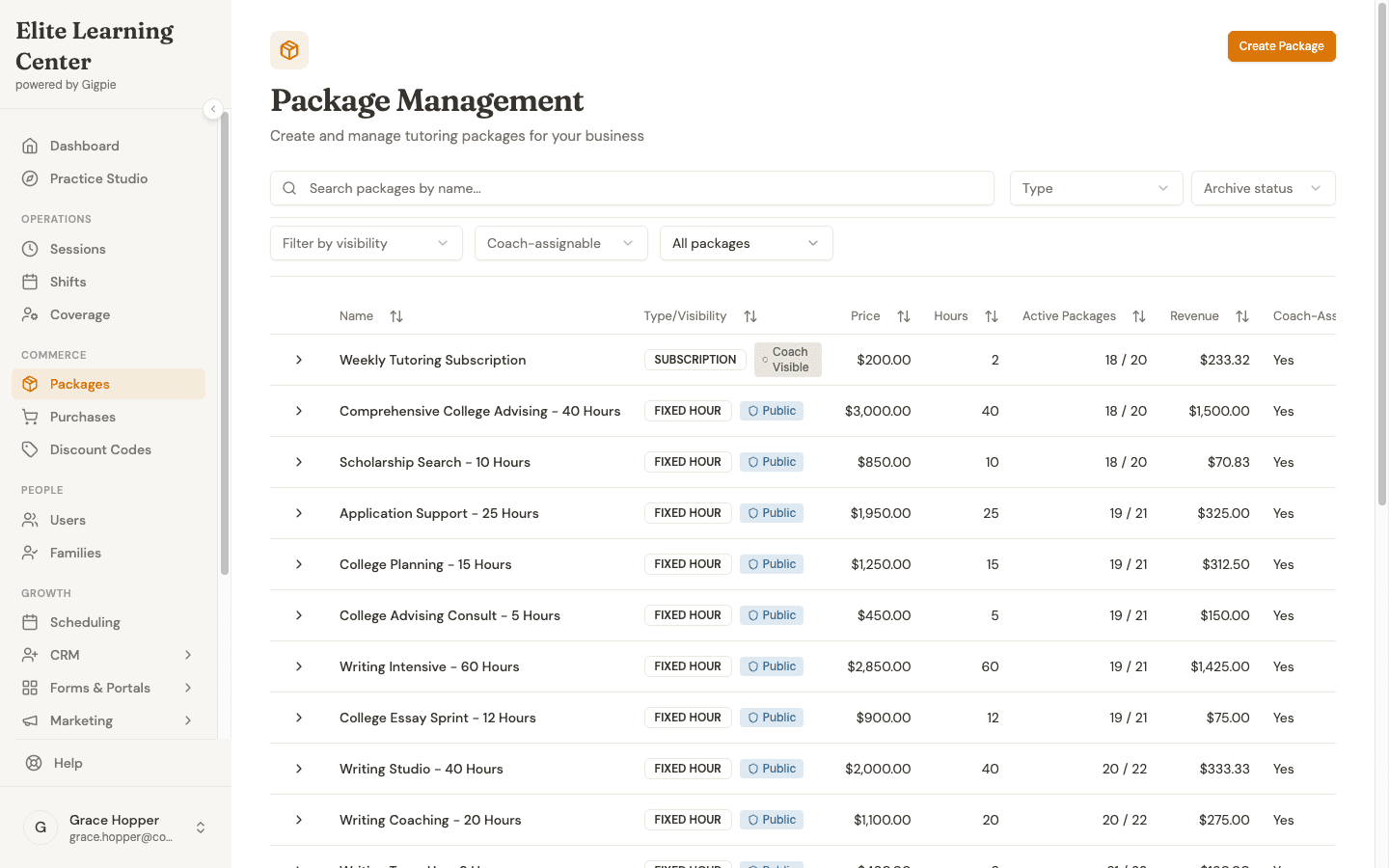
Program Creation & Management

Define your program offerings:

Program structure:

  • Program name: "Robotics for Ages 8-10"
  • Session length: 90 minutes
  • Total weeks: 8 weeks
  • Meeting schedule: Tuesdays, 4:00-5:30 PM
  • Capacity: 12 students
  • Age range: 8-10 years old

Pricing:

  • Full session: $320
  • Drop-in rate: $45/session (if space available)
  • Materials fee: $25 (one-time)
  • Sibling discount: 10% off

Location:

  • In-person at your facility
  • Virtual via Zoom
  • Hybrid options

Gigpie handles:

  • Program scheduling (recurring weekly sessions)
  • Capacity tracking (12/12 spots filled)
  • Waitlist management (6 families waiting)
  • Automatic enrollment workflows

Registration & Enrollment

Parents register through your portal:

Registration flow:

  1. Parent browses available programs
  2. Sees schedule, pricing, capacity
  3. Registers child (or multiple children)
  4. Applies sibling discount automatically
  5. Chooses payment plan if available
  6. Receives confirmation

Gigpie handles:

  • Multi-child registration in one transaction
  • Automatic discount application
  • Capacity enforcement (stops registration at limit)
  • Waitlist opt-in
  • Required forms/waivers collection

Attendance Tracking

Track who attends each session:

Weekly attendance:

  • Instructor marks present/absent
  • Parents get notifications for absences
  • Makeup session credits (if policy allows)
  • Mid-session drop tracking

Reporting:

  • Which students have perfect attendance
  • Families with frequent absences
  • Average attendance rate per program
  • Billing adjustments for excessive absences

Multi-Child Family Management

The family hub becomes critical:

Family dashboard shows:

  • All enrolled programs across all children
  • Upcoming sessions this week
  • Total amount paid this semester
  • Outstanding balances
  • All children's attendance history

Benefits:

  • One payment for multiple programs
  • Coordinated scheduling view
  • Automatic sibling discounts
  • Shared family notes

For Program Directors

Capacity Planning

See enrollment status at a glance:

ProgramDay/TimeEnrolledCapacityWaitlist
Robotics I (Ages 6-8)Mon 4pm12124
Robotics II (Ages 8-10)Tue 4pm10122
Art ExplorersWed 3:30pm8150
Coding FundamentalsThu 4pm15158
STEM Summer CampM-F 9am-12pm18206

Insights:

  • Which programs to add sections for
  • Programs underperforming (may cancel)
  • Optimal program sizes
  • Revenue by program type

Instructor Coordination

Manage your teaching staff:

Instructor profiles:

  • Name and contact info
  • Programs they teach
  • Availability windows
  • Certifications (CPR, teaching license, etc.)
  • Rate per session or program

Assignment logic:

  • Match instructors to programs by expertise
  • Substitute teacher coordination
  • Prevent double-booking
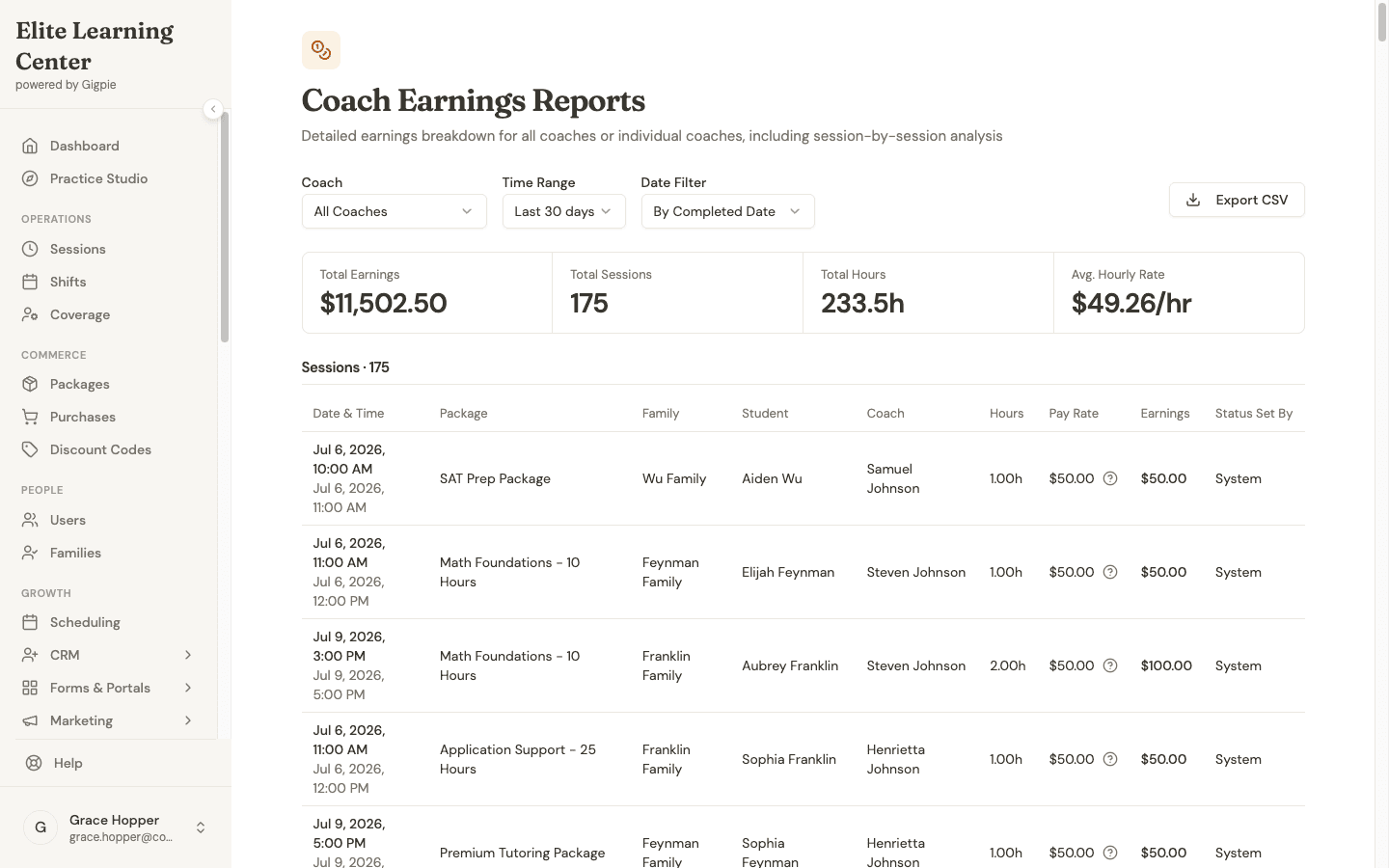
  • Track hours worked

Revenue Forecasting

Understand your financial picture:

By semester:

  • Total enrolled students
  • Revenue by program
  • Payment plan schedules
  • Outstanding balances

Seasonal patterns:

  • Summer camps (big revenue spike)
  • Fall/spring semesters (steady)
  • Winter break mini-camps
  • Planning for next cycle

Waitlist Management

Popular programs fill up fast:

Waitlist features:

  • Automatic emails when spot opens
  • Prioritization (by sign-up date)
  • Offer expiration (24-hour response deadline)
  • Conversion tracking (waitlist → enrolled)

Strategy:

  • If waitlist hits 6+, consider adding section
  • Use waitlist to gauge demand for new programs
  • Offer early registration to waitlist families next semester

For Instructors

Class Roster

Before each session, see:

Student list:

  • Names and ages
  • Allergies or special needs
  • Parent emergency contact
  • Attendance streak
  • Notes from previous sessions

Session plan:

  • What was covered last week
  • Today's lesson objectives
  • Materials needed
  • Homework or projects

Attendance & Notes

After each session:

Mark attendance:

  • Quick checkboxes for each student
  • Note absences (sick, vacation, no-show)
  • Flag concerns (behavior, comprehension)

Session summary:

  • What was taught
  • Group dynamics
  • Upcoming materials needed
  • Parent communication items

Communication

Reach families easily:

Announcements:

  • Reminder: bring old cardboard boxes next week
  • Weather cancellation
  • Showcase event invitation
  • End-of-session report cards

Individual messages:

  • Check in about frequent absences
  • Share student's breakthrough moment
  • Request parent conference

For Parents

The parent portal simplifies family logistics:

Program Browsing

See what's available:

Filters:

  • Age group
  • Day/time
  • Subject area (STEM, arts, language)
  • Location (in-person vs virtual)
  • Availability (open spots)

Program details:

  • Full description
  • Instructor bio
  • Schedule and duration
  • Pricing and discounts
  • Sample projects or outcomes

Registration

Enroll multiple children easily:

One transaction:

  • Select "Robotics I" for Johnny
  • Select "Art Explorers" for Sarah
  • Add both to cart
  • See sibling discount applied (-10%)
  • Choose payment plan
  • Complete registration

Confirmation:

  • Calendar invites for all sessions
  • Instructor contact info
  • What to bring first day
  • Cancellation policy

Family Calendar

See all programs in one view:

This week's schedule:

  • Monday 4:00pm: Johnny - Robotics I
  • Wednesday 3:30pm: Sarah - Art Explorers
  • Thursday 4:00pm: Johnny - Coding Fundamentals

Coordination:

  • Can we carpool with neighbors?
  • Do we need materials for any class?
  • Are both kids done by 5:30pm?

Progress Updates

Stay informed:

  • Attendance records
  • Session notes from instructors
  • Project photos or videos
  • End-of-session progress reports

Common Enrichment Program Types

After-School Programs

Structure:

  • Weekly sessions during school year
  • 60-90 minute classes
  • Age-grouped cohorts
  • Semester-based enrollment

Gigpie handles:

  • Recurring weekly scheduling
  • Mid-semester joins (prorated pricing)
  • Semester transitions
  • Rollover enrollment (auto-renew for spring)

Summer Camps

Structure:

  • 1-2 week intensives
  • Half-day or full-day
  • Mixed-age or grade-grouped
  • Higher pricing per week

Gigpie handles:

  • Multi-week registration
  • Early bird discounts (register by April 15)
  • Sibling discounts
  • Payment plans (split camp cost across months)
  • Waitlists (popular weeks fill fast)

Drop-In Workshops

Structure:

  • One-time events
  • No commitment required
  • Pay-per-session
  • Lower margin but flexible

Gigpie handles:

  • Event-based registration
  • Capacity limits
  • Last-minute bookings
  • Drop-in rate vs. member rate

Hybrid Programs

Structure:

  • Core weekly commitment
  • Plus special events or field trips
  • Different pricing components

Gigpie handles:

  • Base program + add-ons
  • Optional event registration
  • Unified family billing

Pricing Strategies

Program-Based Pricing

Common models:

ModelExampleBest For
Per-session$45/session × 8 weeks = $360High-value programs
Flat program fee$300 for 6-week sessionSimplicity
Tiered by ageAges 5-7: $250; Ages 8-10: $300Age-based complexity
Membership + programs$50/month + $200/programRegular families

Discount Structures

Sibling discounts:

  • First child: Full price
  • Second child: 10% off
  • Third child: 15% off
  • Fourth+: 20% off

Early bird:

  • Register by deadline: 15% off
  • Last-minute (week before): Pay full price

Loyalty:

  • Returning families: 10% off next semester
  • Referral credit: $50 off per referral

Gigpie automatically applies these discounts based on rules you set.

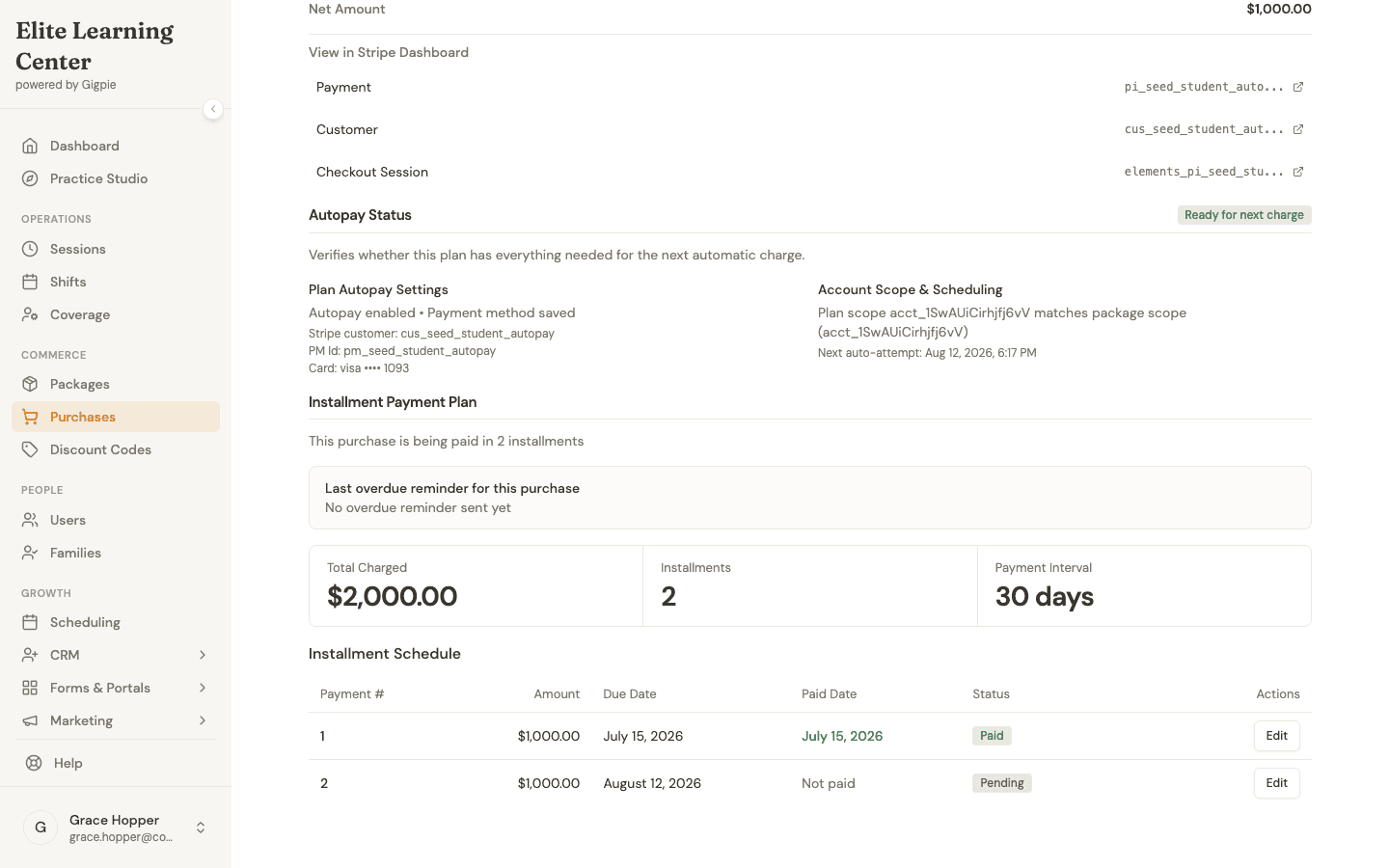
Payment Plans

Large programs benefit from payment plans:

Example: $600 summer camp

  • Option 1: Pay in full ($600)
  • Option 2: 3 monthly payments ($210 each)
  • Option 3: 50% deposit, 50% before start

Gigpie handles:

  • Automatic payment collection
  • Failed payment retries
  • Balance tracking
  • Enrollment holds for non-payment

Session Logistics

Location Management

If you have multiple locations:

Track:

  • Which programs at which location
  • Room assignments
  • Capacity per room
  • Equipment at each site

Parent clarity:

  • Clear address on confirmations
  • Map links
  • Parking instructions
  • Check-in procedures

Materials & Supplies

Per-program tracking:

  • Art class needs: Construction paper, glue, paint
  • Robotics needs: Lego sets, batteries, tablets
  • Cooking class needs: Ingredients, aprons

Parent communication:

  • What to bring from home
  • Materials fee (one-time $25)
  • Optional supply list

Emergency Contacts

Always accessible:

  • Parent phone numbers
  • Emergency contacts
  • Allergies and medical info
  • Pickup authorization list

Instructors have this info on mobile device during every session.

Marketing & Growth

Program Launch Strategy

New program rollout:

  1. Create program in Gigpie
  2. Set early bird pricing (3 weeks out)
  3. Email existing families (they get first access)
  4. Open public registration
  5. Track enrollment vs. capacity
  6. Adjust marketing or add section

Referral Programs

Encourage word-of-mouth:

  • Give families unique referral links
  • Track referrals in Gigpie
  • Award credits ($50 off next program)
  • Celebrate top referrers

Seasonal Planning

Registration windows:

  • Spring programs: Open registration in February
  • Summer camps: Open in March (early bird until April)
  • Fall programs: Open in July

Gigpie features:

  • Schedule registration open dates
  • Send reminders to past families
  • Track returning vs. new enrollment

Compliance & Safety

Liability Waivers

Collect required documents:

  • Liability waiver
  • Photo release
  • Medical authorization
  • Code of conduct agreement

Parents sign digitally during registration.

Background Checks

Track instructor certifications:

  • Background check expiration
  • CPR certification
  • First aid training
  • Mandated reporter status

Gigpie alerts when renewals needed.

Attendance Requirements

For compliance:

  • Track actual attendance vs. expected
  • Generate reports for regulators
  • Document drop reasons
  • Refund policy enforcement

Real-World Examples

STEM Academy (50 students, 4 programs)

Challenge: Tracking attendance across 4 programs, managing 25 families, coordinating 3 instructors

Gigpie solution:

  • All programs in one system
  • Instructors mark attendance on tablets
  • Parents see real-time attendance
  • Automated billing for multi-child families

Result: Admin time cut from 15 hours/week to 4 hours/week

Summer Camp Collective (8-week day camps)

Challenge: 60 kids, 6 counselors, complex payment plans, sibling discounts

Gigpie solution:

  • Payment plans automated
  • Sibling discounts applied automatically
  • Daily attendance tracking
  • Weekly parent updates

Result: Doubled enrollment capacity without hiring admin staff

Language Immersion Program (ongoing weekly)

Challenge: Year-round rolling enrollment, different start dates, prorated pricing

Gigpie solution:

  • Mid-program joins with automatic prorated pricing
  • Flexible scheduling for makeups
  • Progress tracking by proficiency level

Result: Increased mid-year joins by 40%

Getting Started

Initial Setup

  1. Create programs - Define all offerings
  2. Set pricing - Including discounts and payment plans
  3. Add instructors - With availability and specialties
  4. Configure locations - If multiple sites
  5. Open registration - Invite families to portal

Migration from Spreadsheets

Many enrichment programs start with:

  • Excel rosters
  • Email registration
  • Venmo/check payments
  • Paper attendance sheets

Gigpie consolidates this into one system.

Training Staff

Instructors need:

  • How to mark attendance (5 minutes)
  • Adding session notes (5 minutes)
  • Viewing student info (5 minutes)

Total training time: 15-20 minutes per instructor

Pricing for Enrichment Programs

Gigpie pricing:

  • Starter: 5% platform fee (up to 5 instructors)
  • Growth: 2.5% platform fee (unlimited instructors)

Example: Program doing $12,000/month:

  • Growth plan: $300/month
  • All features included
  • Unlimited families, programs, instructors

Frequently Asked Questions

Can I handle both drop-in and committed enrollment models?

Yes! Create programs with different settings. Committed programs have roster limits and require upfront payment. Drop-in programs allow per-session purchases if capacity allows.

How do I manage waitlists for popular programs?

Gigpie automatically creates waitlists when programs fill. When a spot opens (cancellation, no-show), you can offer it to the next family on the waitlist. They get 24-48 hours to claim it.

What about sibling discounts?

Set discount rules once (e.g., 10% off second child). Gigpie applies them automatically during registration. Parents see the discount before checkout.

Can parents choose payment plans?

Yes. Offer multiple payment options during registration (pay in full, 2 payments, 3 payments). Gigpie automatically collects installments on schedule.

How do instructors mark attendance?

Instructors log into Gigpie on phone or tablet, open the program roster, tap checkboxes for present students. Takes 30 seconds. Parents see attendance in real-time.

Ready to transform your business?

Join other education businesses that have streamlined their operations with Gigpie.

Start free trial
Enrichment Program Software - After-School & Camp Management | Gigpie | Gigpie