
How-To Guide - Coaches
How to request time off as a coach
Submit time off requests and block dates when you're unavailable. Notify your admin in advance so they can arrange coverage for your sessions.
Updated August 6, 2026
Overview
When you need time off for vacation, illness, or personal reasons, submit a time off request through the platform. This notifies your administrator, checks for conflicts against your booked sessions, and routes any affected sessions toward coverage. Submit requests as far in advance as possible to give your admin time to find coverage.
Why advance notice matters
Requesting time off early allows your organization to rearrange sessions, find substitute coaches, or notify families if sessions need to be rescheduled. Last-minute requests can disrupt student schedules and create extra work for administrators. Most organizations have a minimum notice period in their policies.
What to expect
The moment you submit a request, Gigpie checks it against your scheduled sessions in that date range and reports how many are affected. Your administrator is notified and can begin arranging coverage right away. Once approved, the dates block your calendar from new bookings.
Best practices
- Submit requests at least two weeks in advance when possible
- Provide a specific reason to help with coverage planning
- Check your scheduled sessions before selecting dates
- Communicate directly with families if you have ongoing students
- Follow your organization's time off policy
Steps
- 1
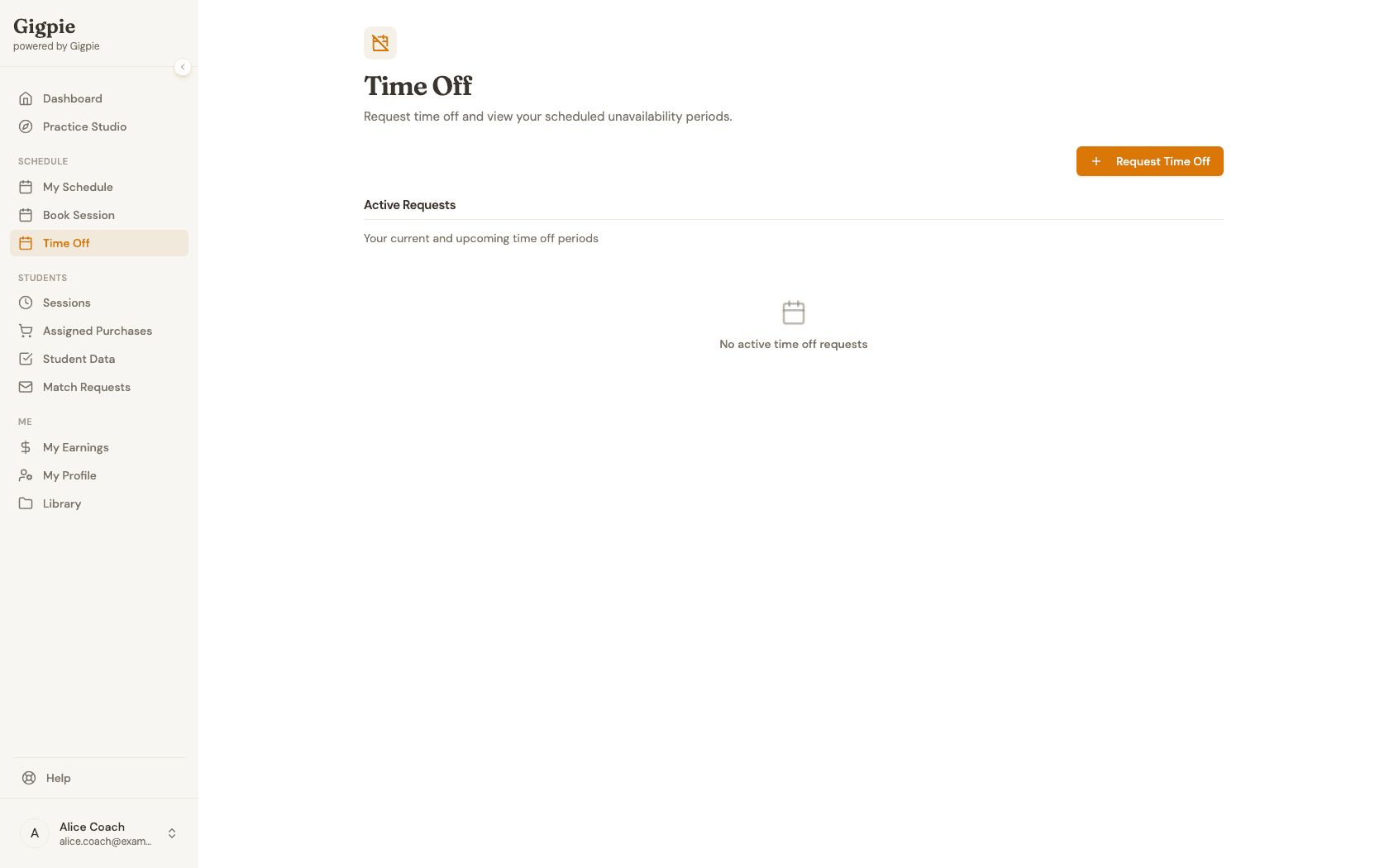
Navigate to Time Off
Click Time Off in the navigation menu to access the unavailability management page. Any active or upcoming requests appear here.
- 2
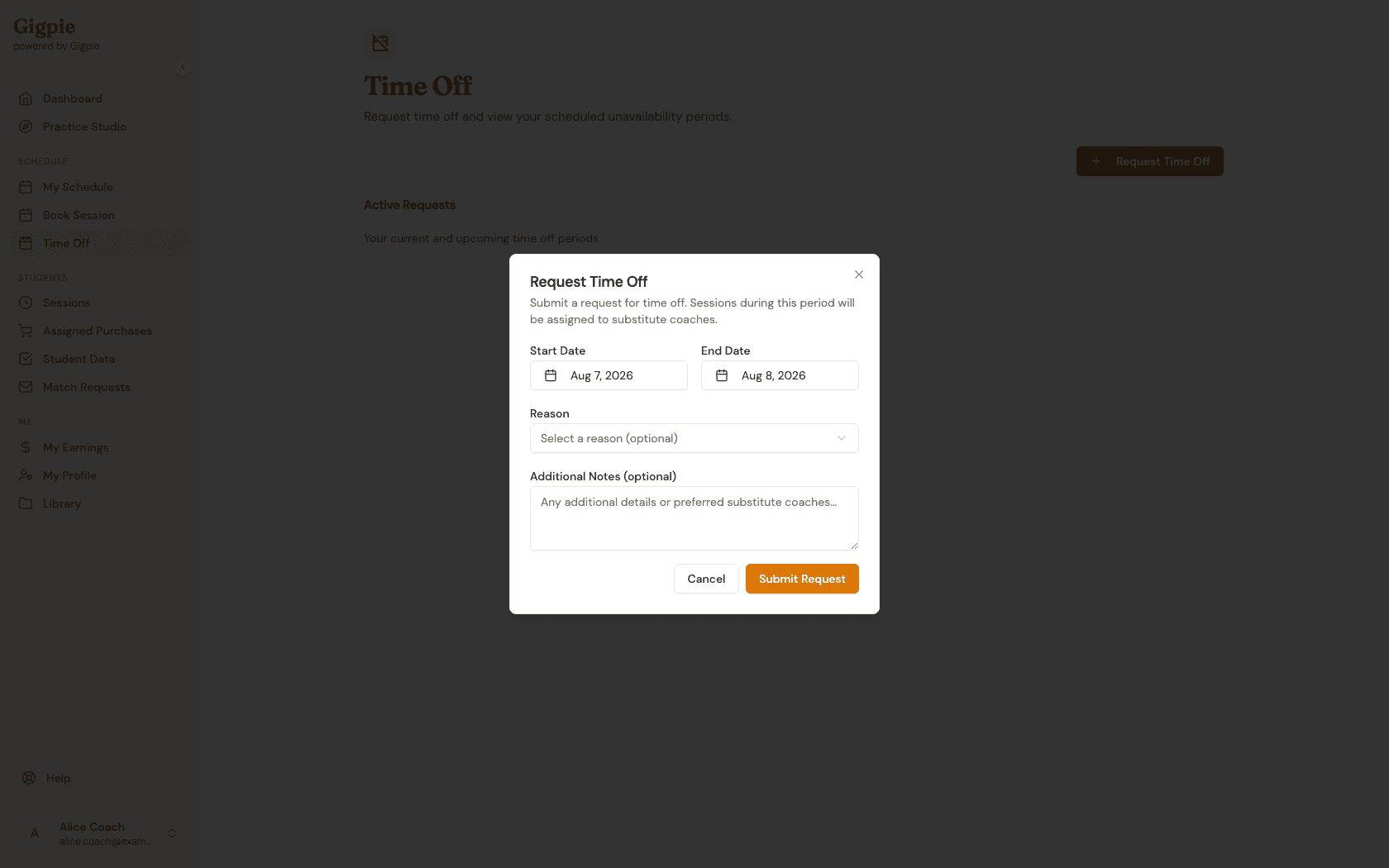
Click Request Time Off
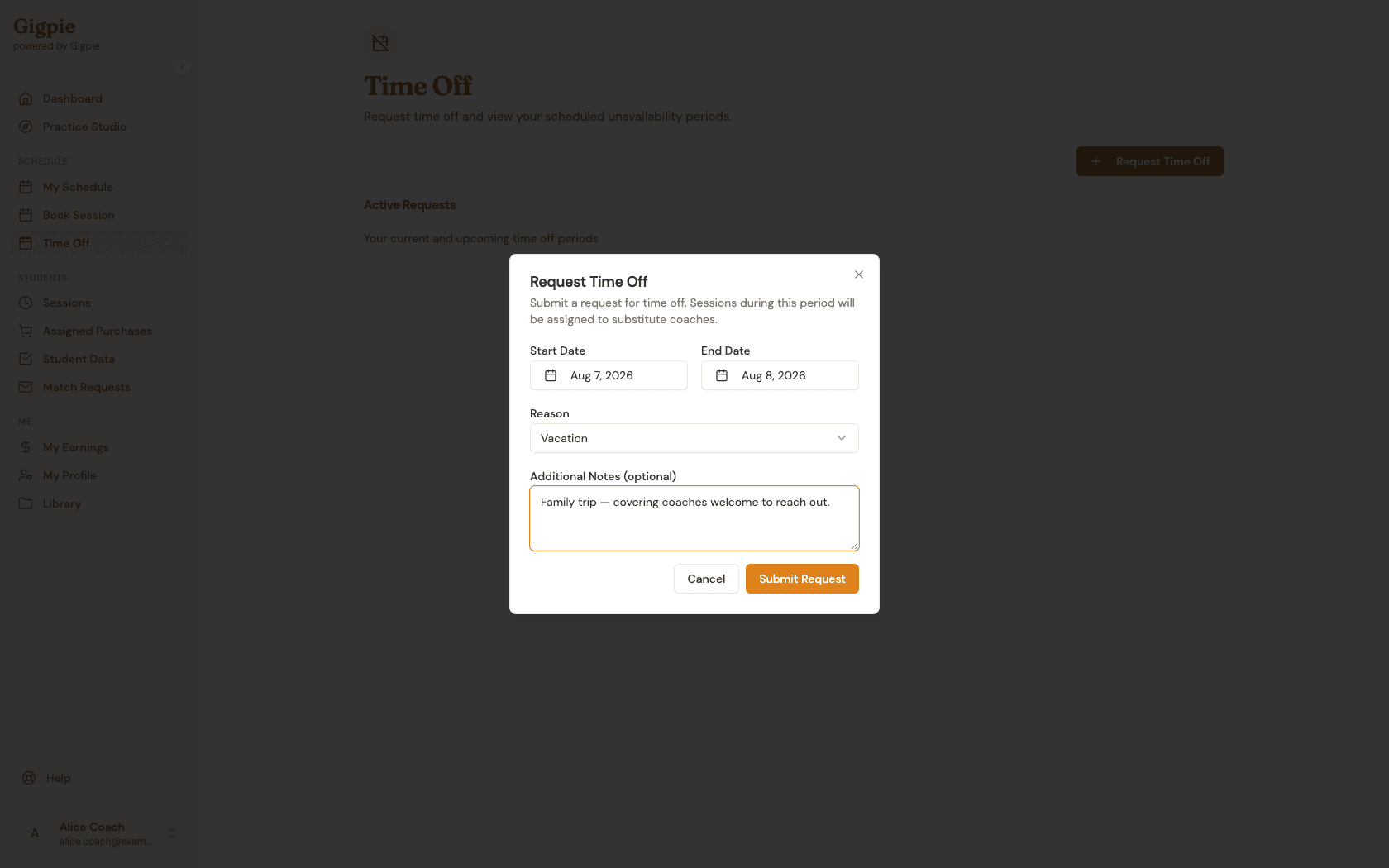
Click the button to open the request dialog. It comes pre-filled with a sensible starting date range, which you can adjust in the next step.
- 3
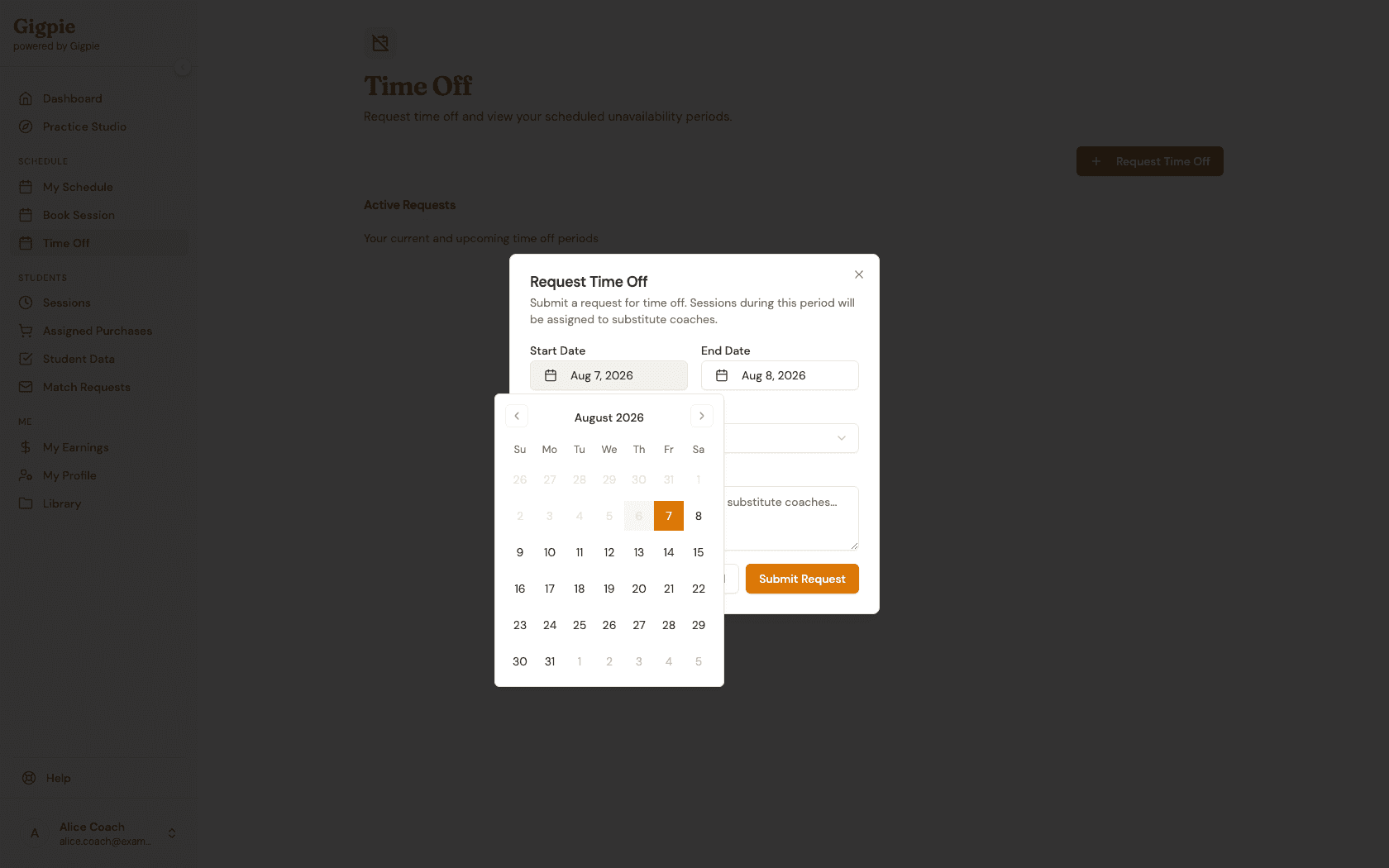
Select your start and end dates
Click either date field to open a calendar picker and choose the range when you'll be unavailable.
- 4
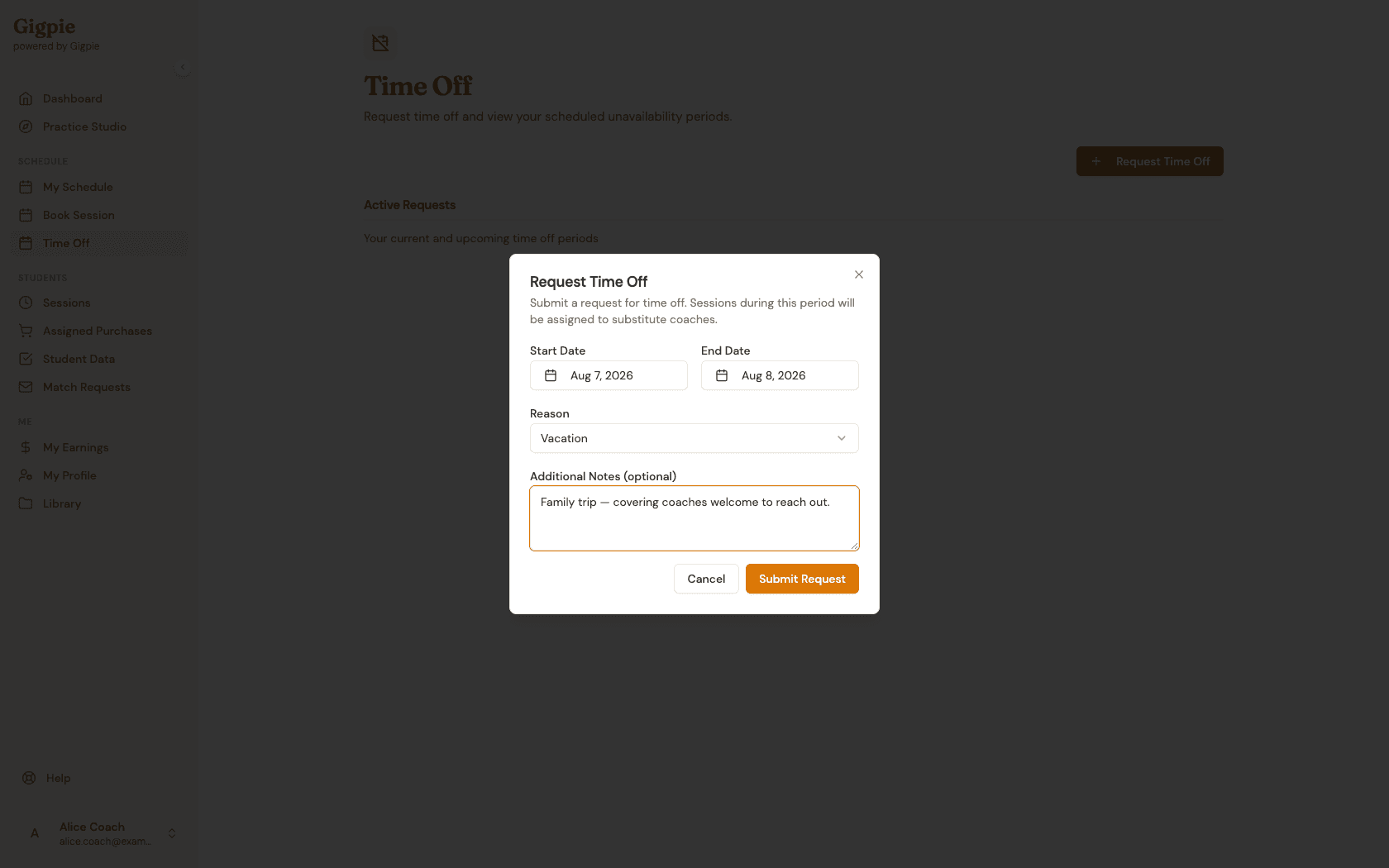
Add a reason (optional)
Select a reason from the dropdown and add any additional notes — useful context for whoever ends up covering your sessions.
- 5
Submit your request
Click Submit Request to send it to your admin. Gigpie immediately checks your date range against your booked sessions and reports how many need coverage.
Related Guides
- How to update calendar availability - Manage when you're available for sessions
- How to claim marketplace shifts - Pick up available sessions
- Smart Scheduling - How Gigpie's scheduling engine works