
How-To Guide - Coaches
How to update your calendar schedule as a coach
Learn how to set your weekly hours, block off time away, and adjust booking rules so parents can only book appointments during times that work for you.
Updated August 6, 2026
Overview
Use this guide to set your weekly hours, block off time away, and adjust booking rules. Everything lives on one page — My Schedule — with a live preview of exactly what families will see when they go to book.
Before you start
- You are logged in as a coach.
- You have access to your schedule settings.
Why schedule management matters
Setting accurate open hours prevents conflicts and helps families book appointments at times you can actually teach. When parents or admins schedule, they only see time slots that match your open hours. Keeping this updated reduces back-and-forth communication and missed appointment issues.
How to set effective hours
Think about your regular weekly schedule including other commitments, energy levels throughout the day, and buffer time between appointments. Many coaches block out time in consistent weekly patterns, then use the Time away section for specific dates they're unavailable. This creates predictable windows families can rely on.
Common patterns
Some coaches offer morning and evening hours to accommodate different student schedules. Others specialize in after-school hours when students are typically free. Consider your target students when setting open times: elementary students often need earlier slots, while high school students may prefer later appointments.
Steps
- 1
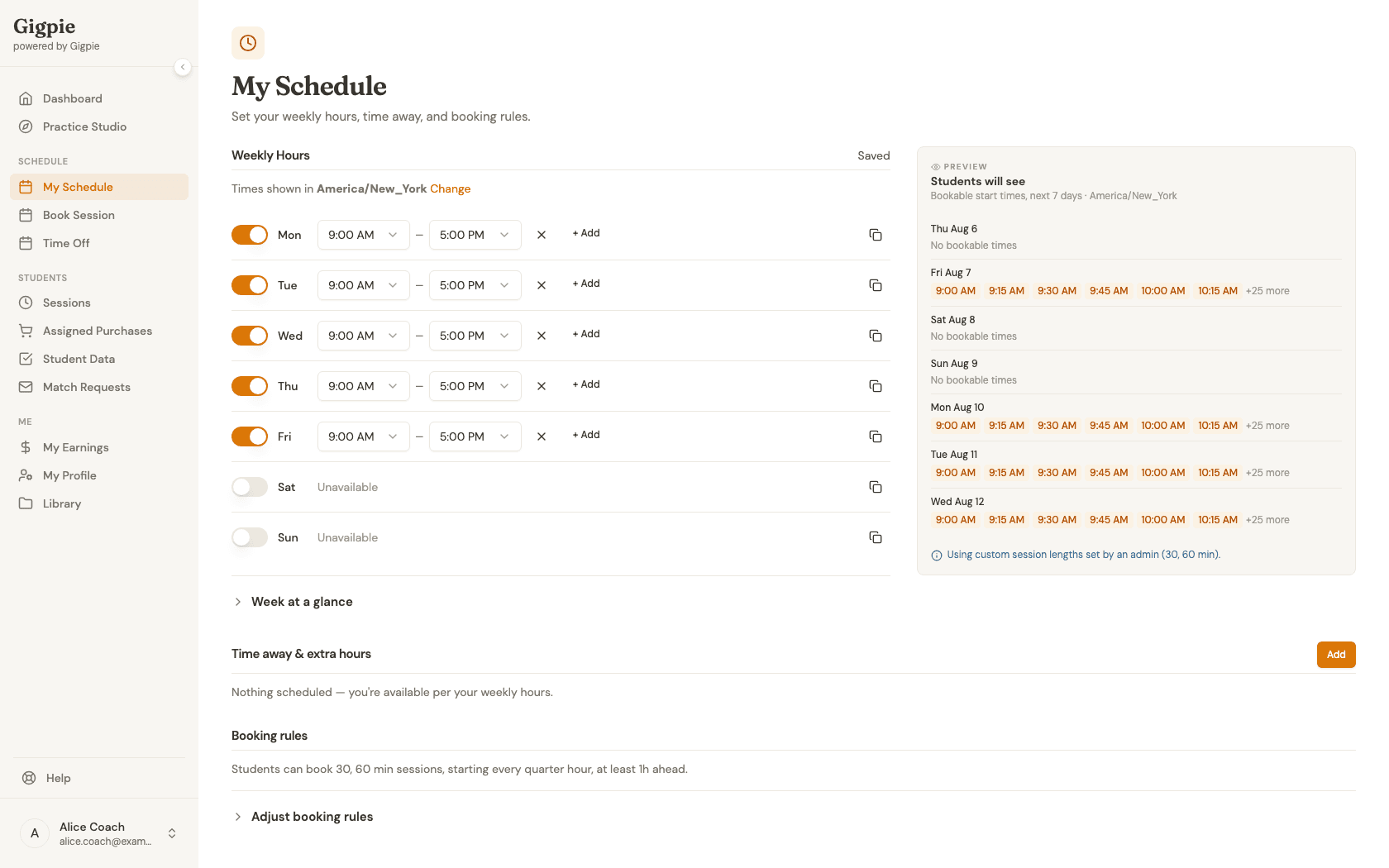
Navigate to My Schedule
Open My Schedule from the navigation menu to view and manage your weekly hours, time away, and booking rules in one place.
- 2
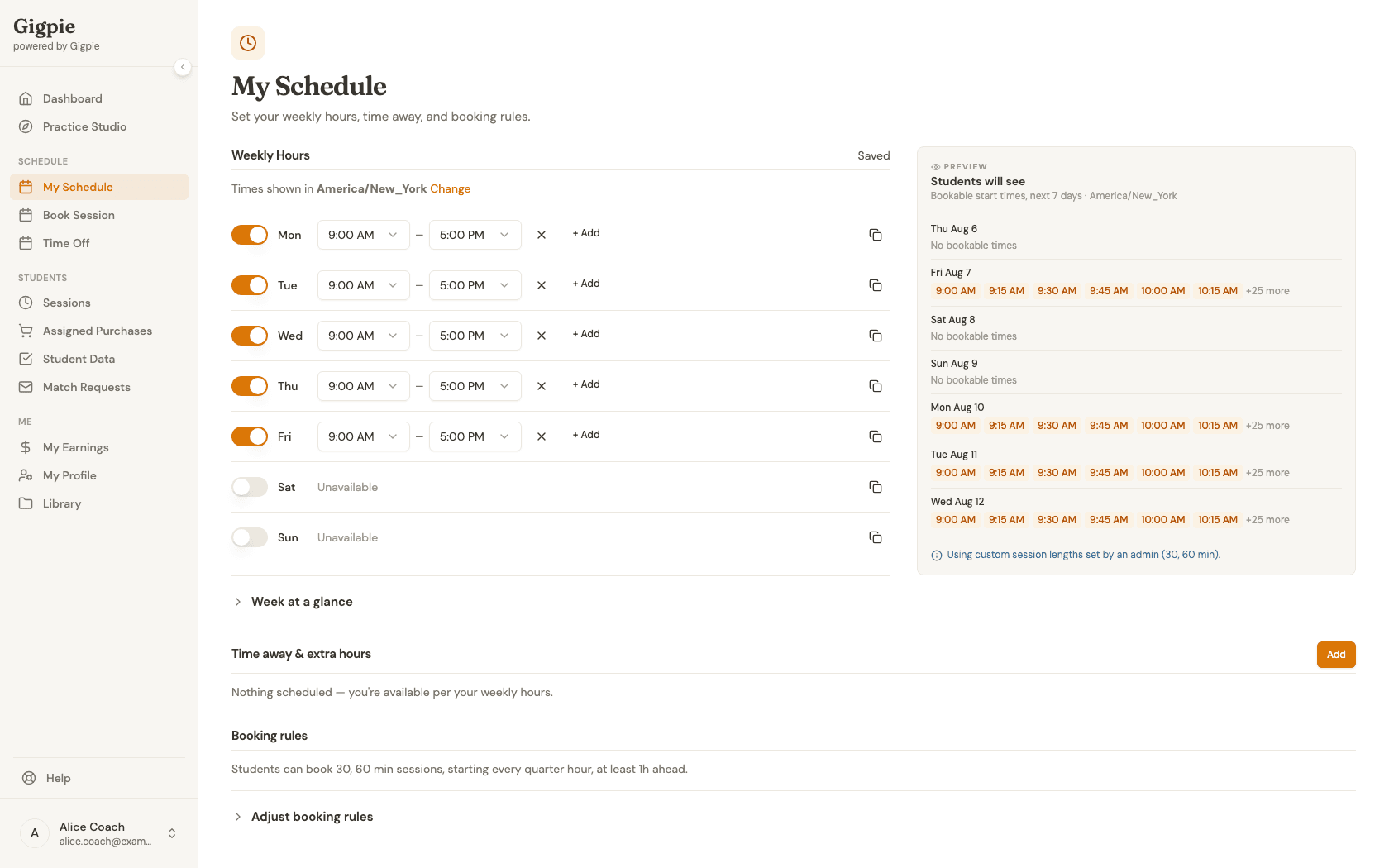
Review your weekly hours
Each day is its own row: toggle a day on or off, and add one or more time ranges for the days you're open. The preview rail on the right shows exactly which start times families will actually be able to book over the next few days — a fast way to sanity-check your hours before anyone tries to schedule against them.
- 3
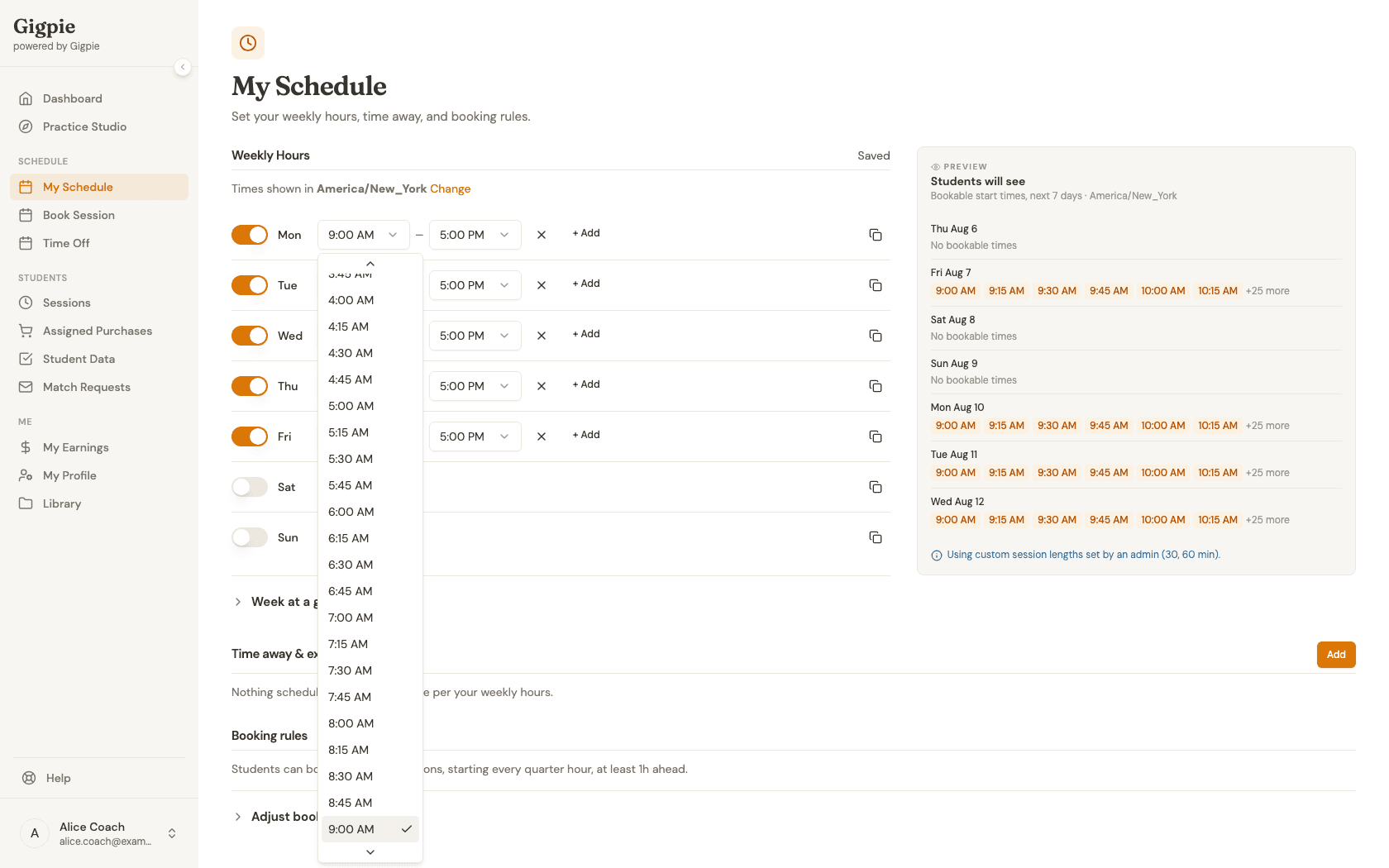
Adjust a day's hours
Click a start or end time to open the picker and choose a new value. Changes save automatically — watch for the "Saving…" indicator to flip to "Saved" above the editor.
- 4
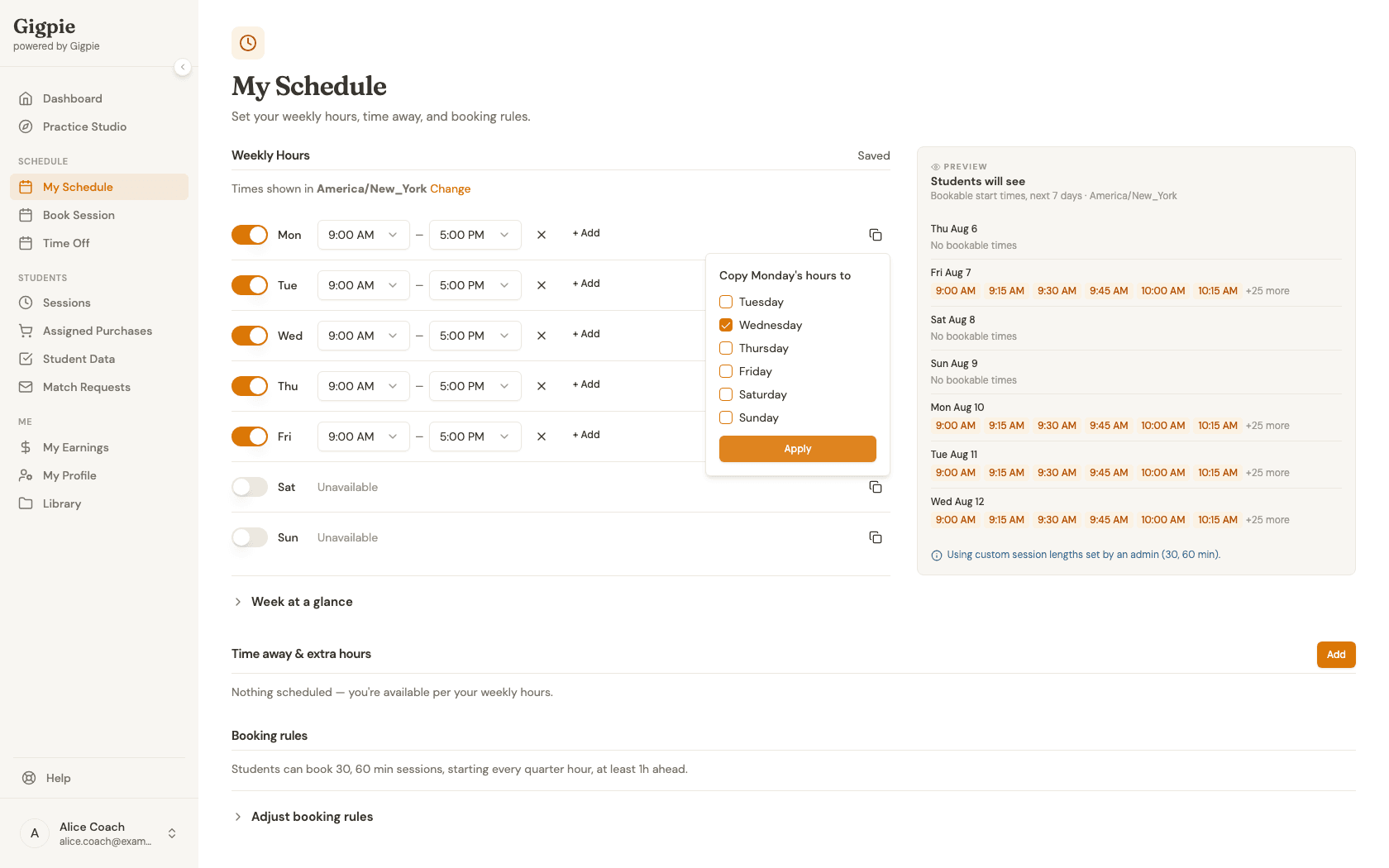
Copy hours to other days
Set up one day the way you want it, then use the copy icon at the end of that row to apply the same hours to any other days with one click — handy for a Monday/Wednesday/Friday pattern or a full five-day week.
- 5
Add time away
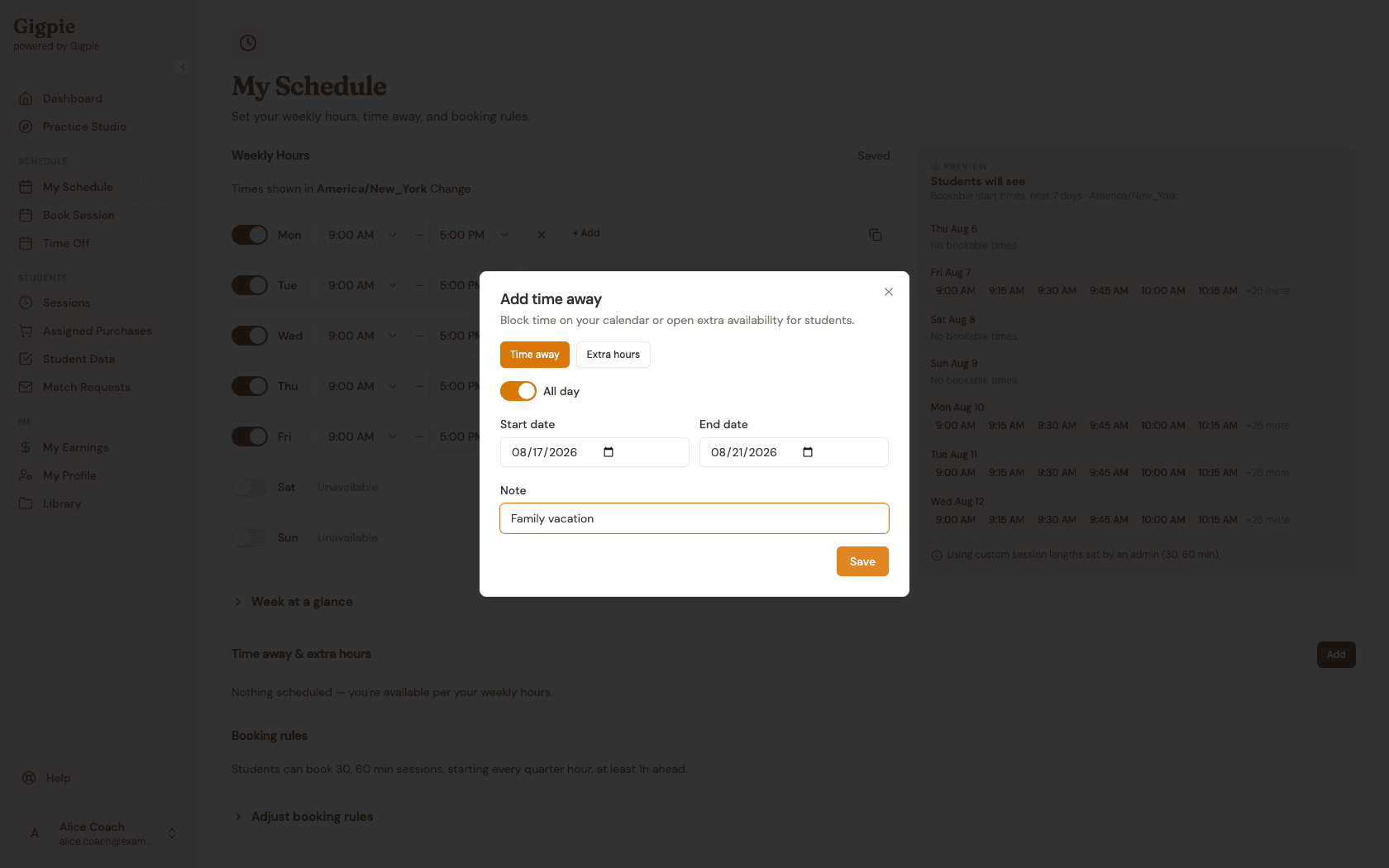
For anything that isn't part of your regular weekly pattern — a vacation, a doctor's appointment, or opening up a one-off extra hour — use Add under "Time away & extra hours." Pick a date range, add an optional note, and save. If the dates you pick overlap sessions you already have booked, Gigpie flags the conflict so you can route those sessions to coverage before you confirm.
What you'll accomplish
- Your weekly hours are up to date.
- Parents can only book appointments during your open hours.
Related Guides
- How to schedule a session - Book sessions with students
- How to request time off - Submit a time off request that routes affected sessions to coverage
- How to connect your Google Calendar - Sync your calendar automatically
- Smart Scheduling - How Gigpie's scheduling engine works