
How-To Guide - Coaches
How to schedule an appointment for a student as a coach
Book tutoring appointments for students. Select packages, choose meeting lengths, and set up one-time or recurring bookings.
Updated August 6, 2026
Overview
As a coach, you can book appointments directly for students in families under your care. This is useful when coordinating schedules over email, phone, or in person. The booking process ensures the family has available package hours and helps find times that work for both the coach's availability and the student's schedule.
One-time vs. recurring appointments
One-time appointments work well for intensive test prep, makeup meetings, or trial lessons. Regular bookings help students build consistent learning habits with weekly or bi-weekly meetings. When setting up recurring appointments, you can specify how many to create or set an end date.
Package selection matters
Always verify which package the booking is against. Families often have multiple packages for different subjects or students. Check the package balance to ensure sufficient hours remain. Each appointment will deduct from the package's available hours.
Tips for successful scheduling
- Coordinate with families beforehand to confirm availability
- Build in buffer time between back-to-back appointments
- Consider the student's school schedule and time zone
- Set up recurring bookings to reduce overhead
- Add notes or topics in the booking details
Steps
- 1
Navigate to Book Session
Click on Book Session in the navigation menu to access the scheduling page.

- 2
Select a family
Choose the family you want to book a session for.

- 3
Select a package
Choose the package with available hours for the student.
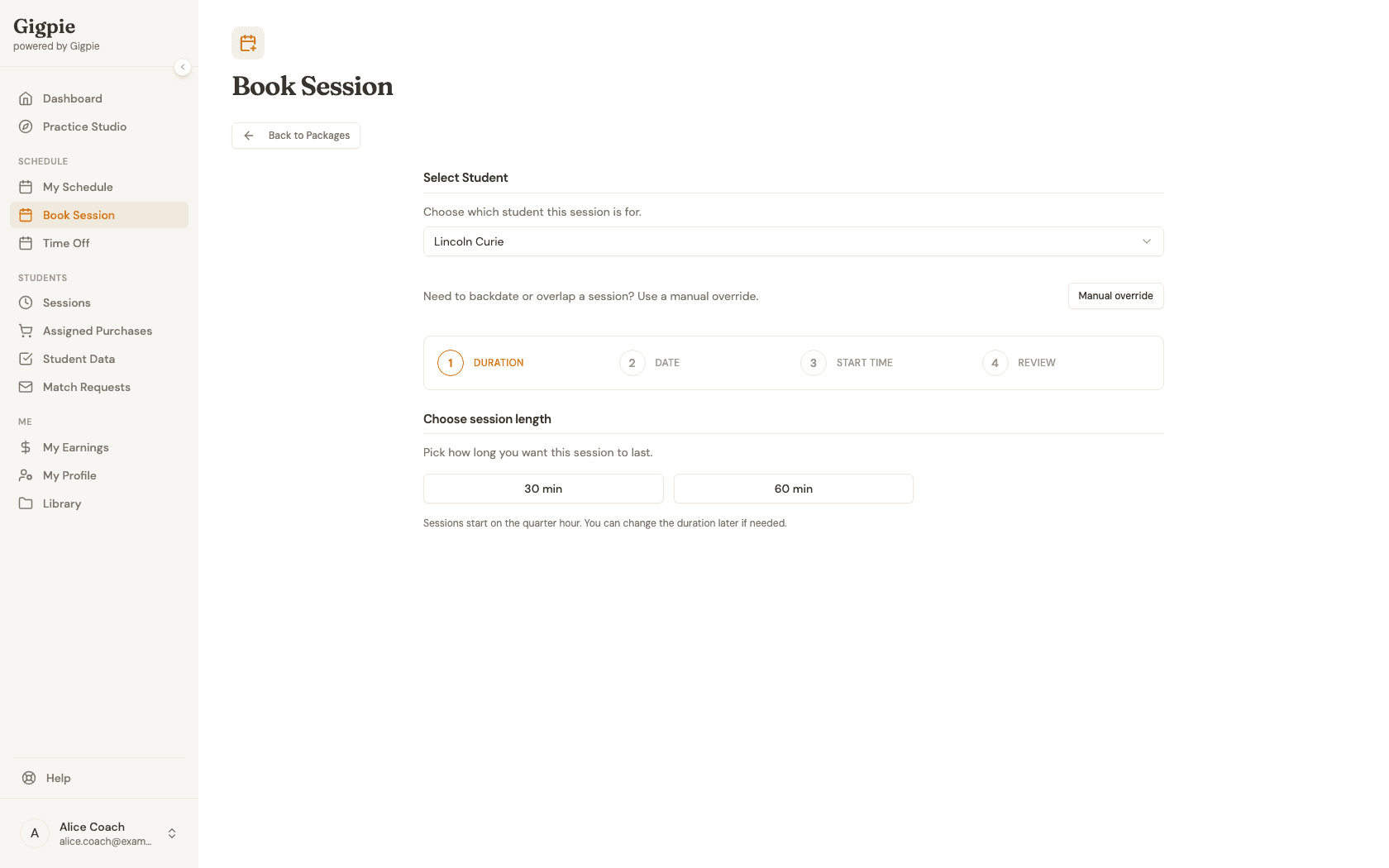
- 4
Choose meeting length
Select the duration based on the package options.
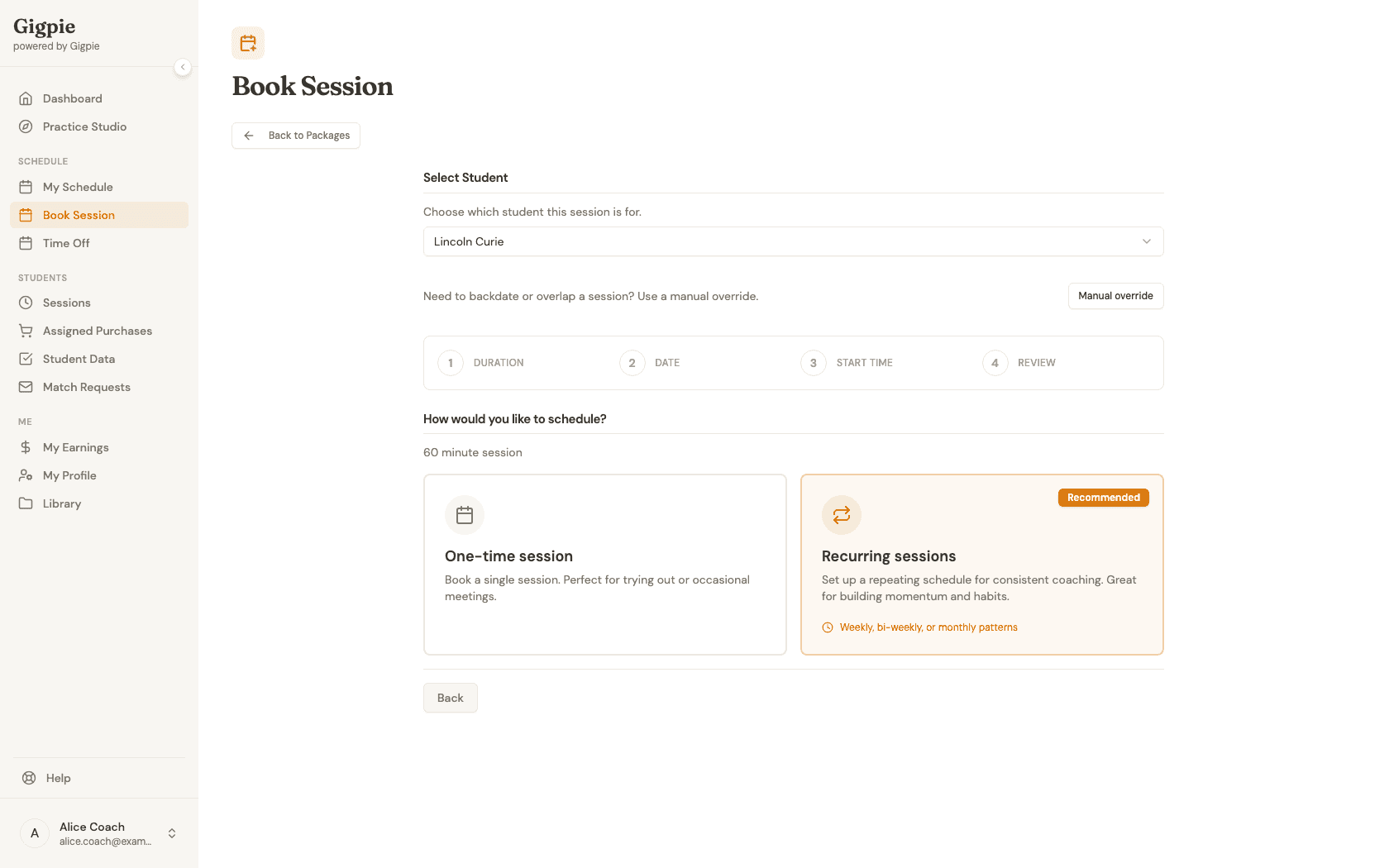
- 5
Pick one-time or recurring
Choose whether this is a single session or a recurring series. Recurring sessions can repeat weekly, bi-weekly, or on a custom pattern.
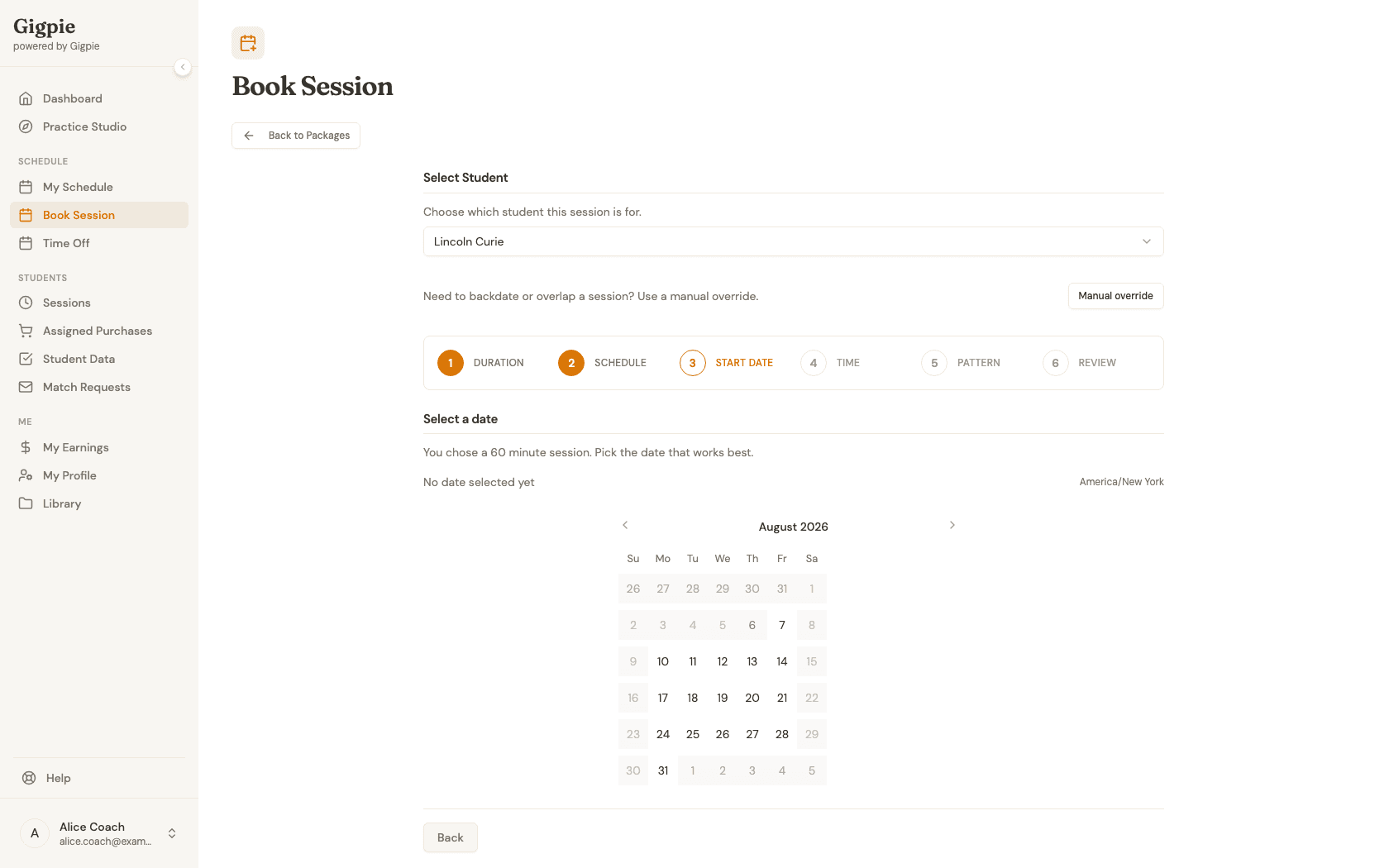
- 6
Pick a date
Select the date from the available calendar.
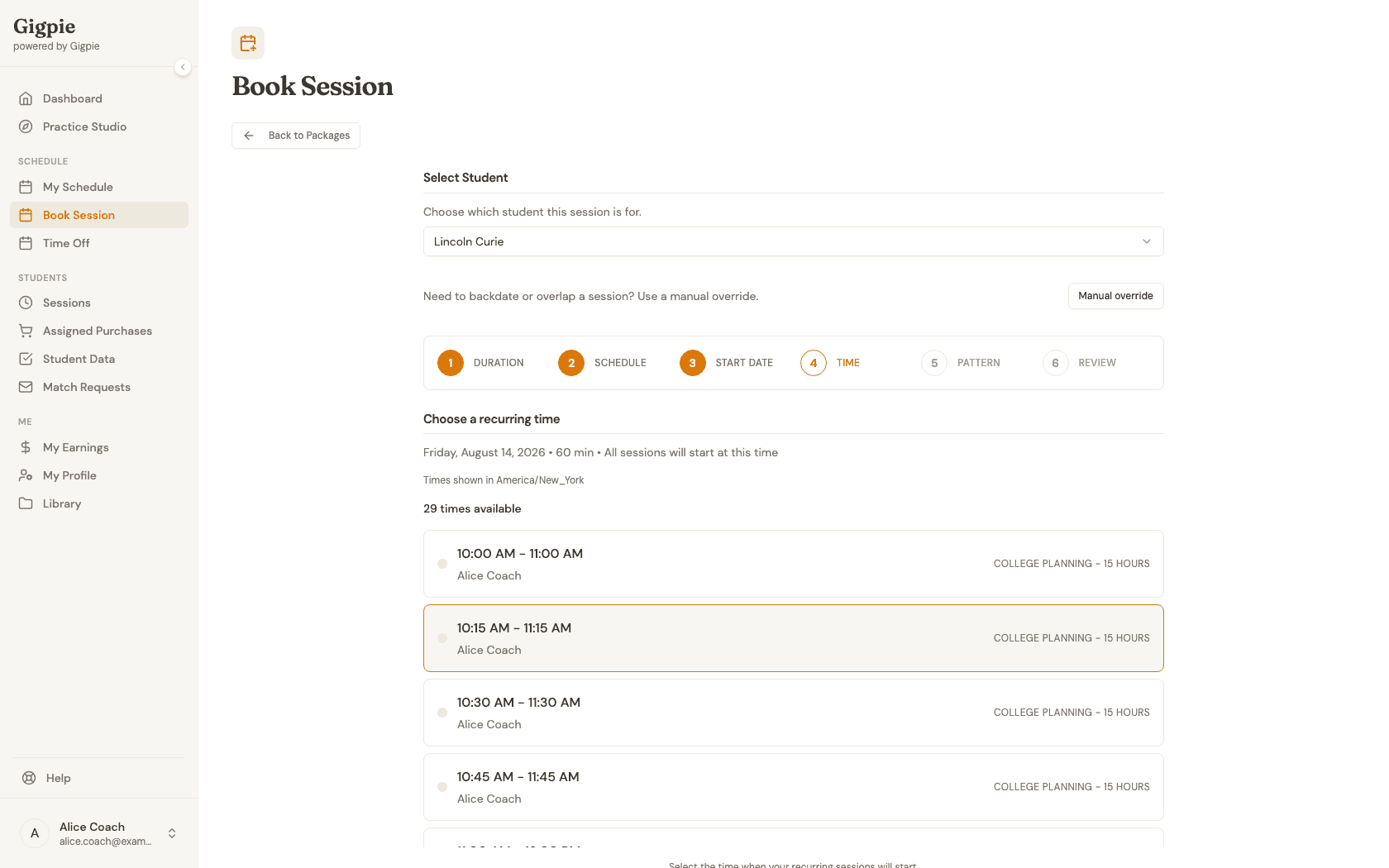
- 7
Choose a start time
Select an available time slot for the appointment.
- 8
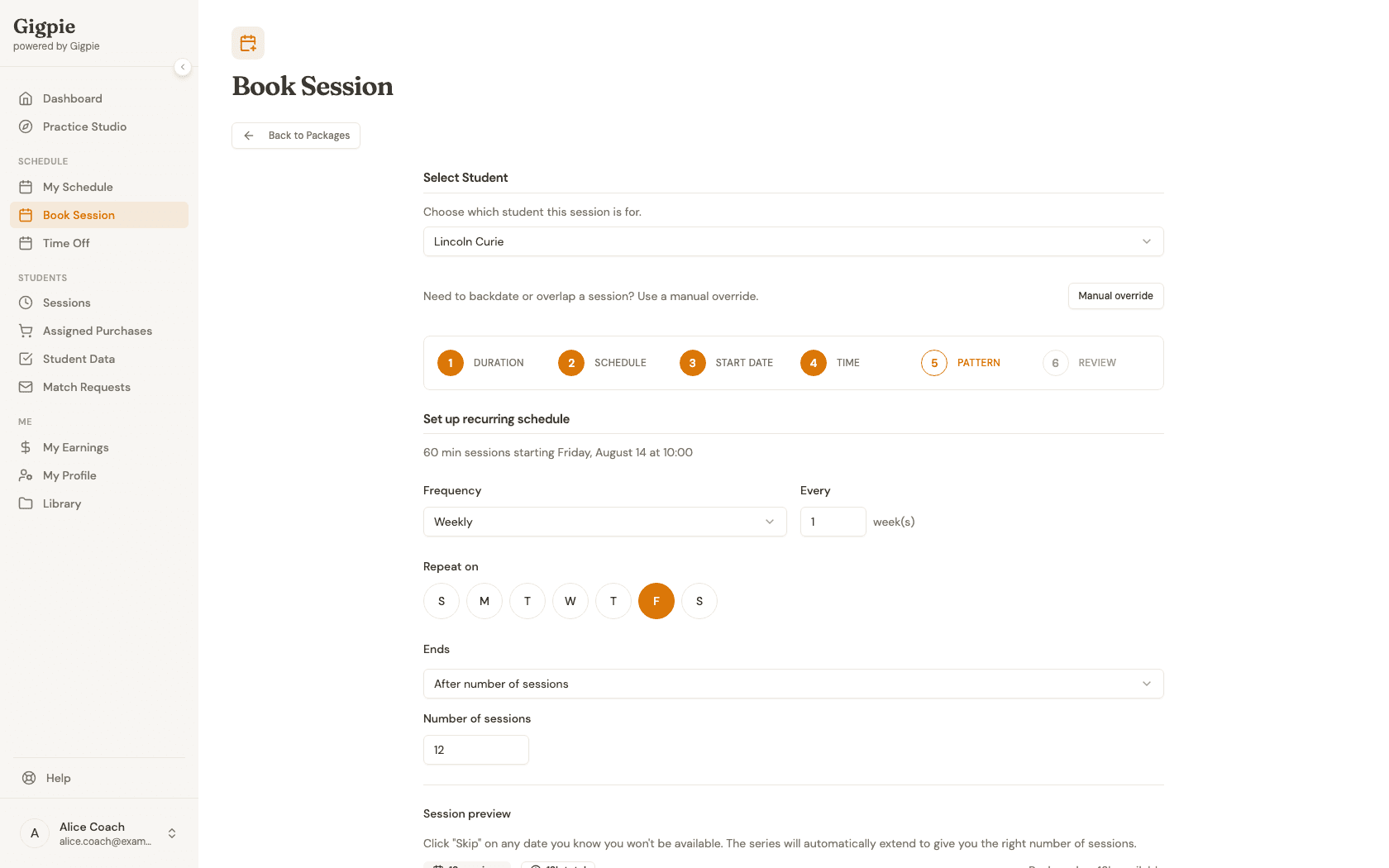
Configure Recurring Schedule (optional)
For recurring series, set the frequency, which days it repeats on, and when it should end (after a number of sessions or on a specific date). Skip any date you won't be available, then continue to review.
- 9
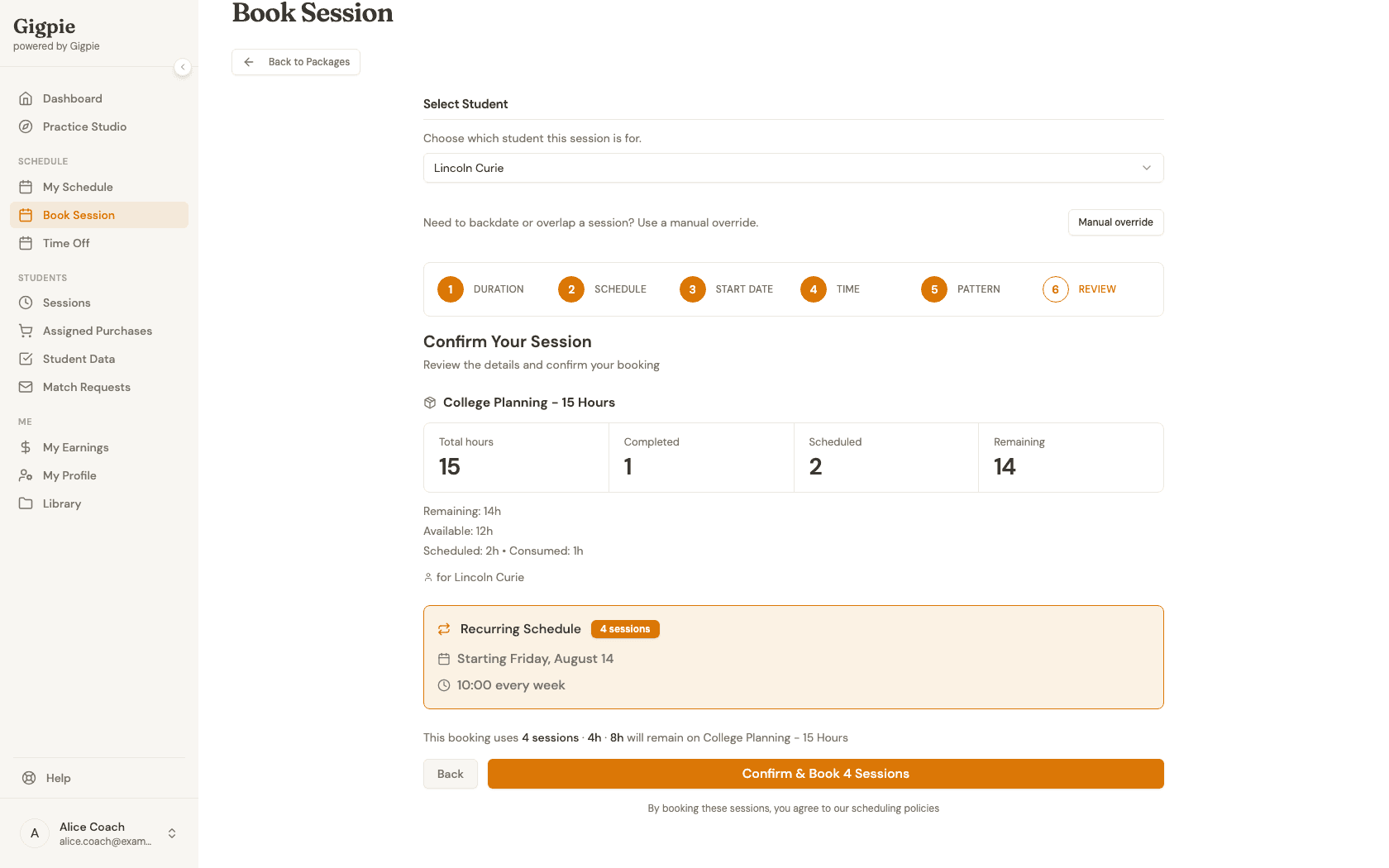
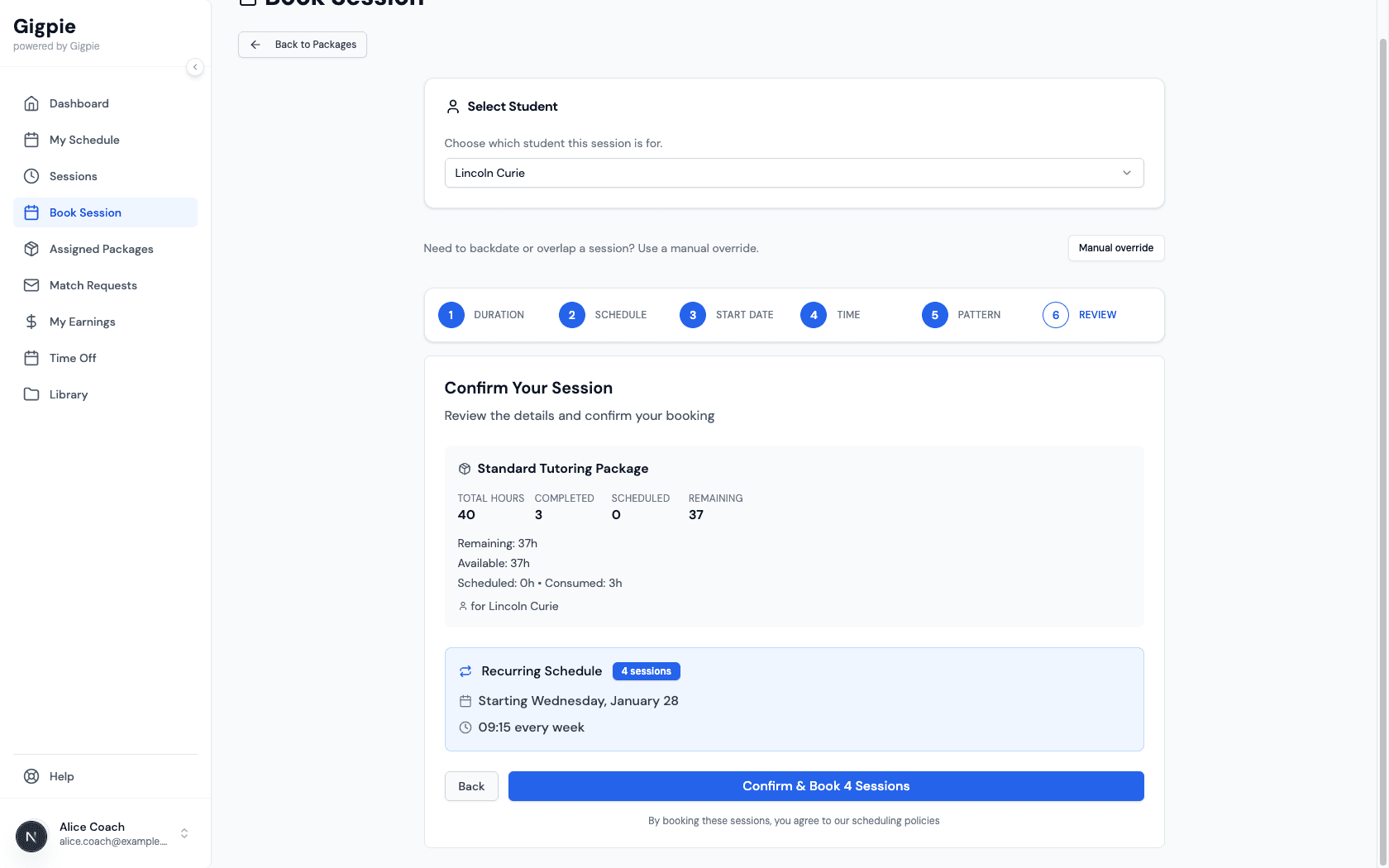
Confirm the booking
Review the details and click Confirm & Book to schedule the appointment.
Related Guides
- How to update calendar availability - Manage your scheduling availability
- How to connect your Google Calendar - Sync your calendar to manage availability
- Smart Scheduling - How Gigpie's scheduling engine works