
How-To Guide - Coaches
How to claim available shifts from the marketplace
Browse and claim open tutoring sessions from the marketplace. Pick up additional hours that match your expertise and availability.
Updated August 10, 2026
Overview
The marketplace shows available sessions that need coaches. When families schedule sessions but don't have an assigned coach, or when another coach requests time off, those shifts become available for you to claim. This is a great way to increase your hours and work with new students.
Why this matters
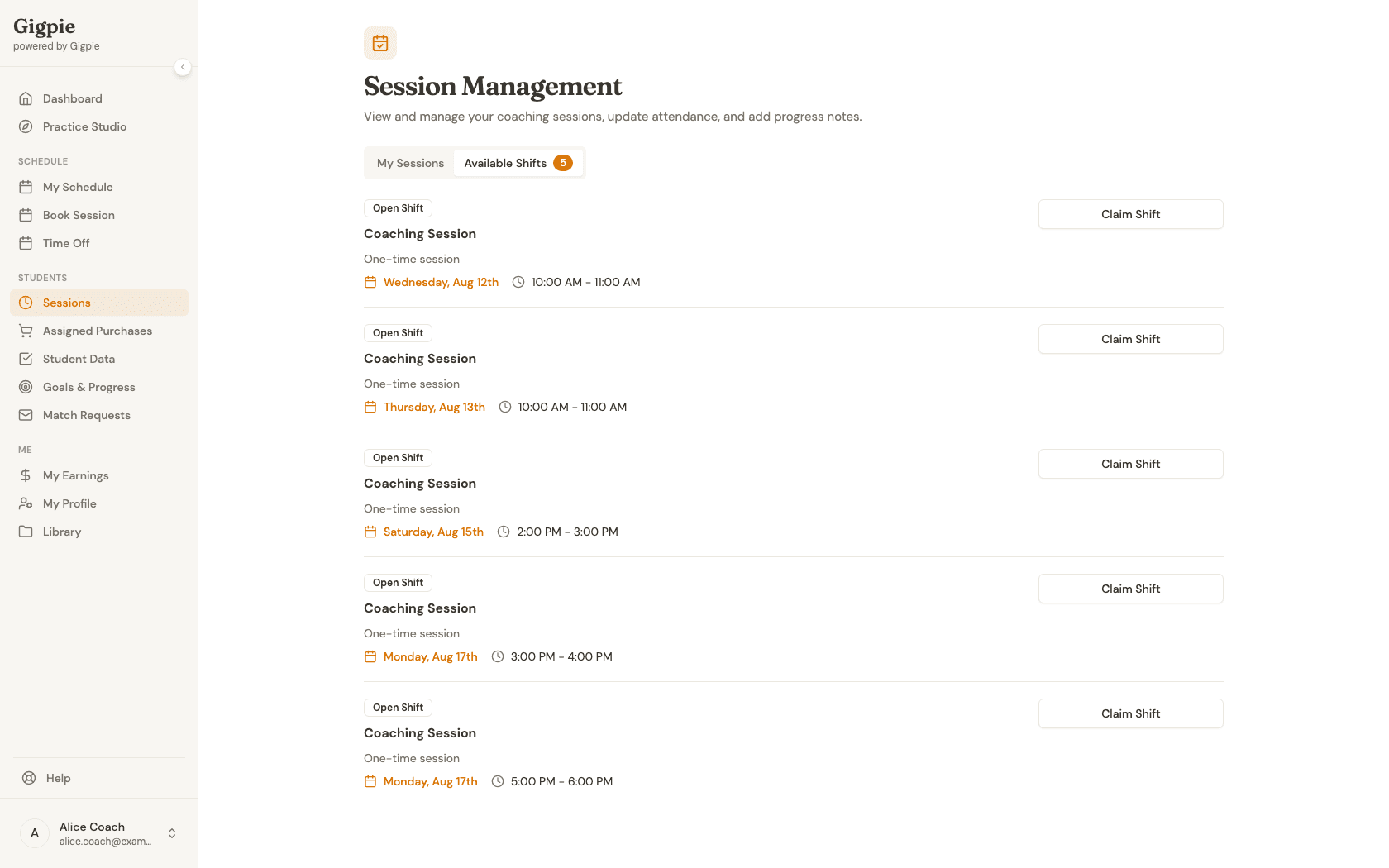
Claiming marketplace shifts gives you control over your schedule while helping families get coverage. Each listing shows you the essentials before claiming: the kind of session, whether it is a one-time shift or a recurring series, and the date and time. That is enough to decide whether it fits your week; the full session details are on the record once the claim goes through.
Tips for claiming shifts
- Check the marketplace regularly for new opportunities
- Review the session record as soon as a claim goes through
- Consider your commute time if sessions are in-person
- Claim shifts that fit cleanly into your existing week
- Respond quickly as popular time slots fill fast
- Build relationships with families for recurring bookings
Steps
- 1
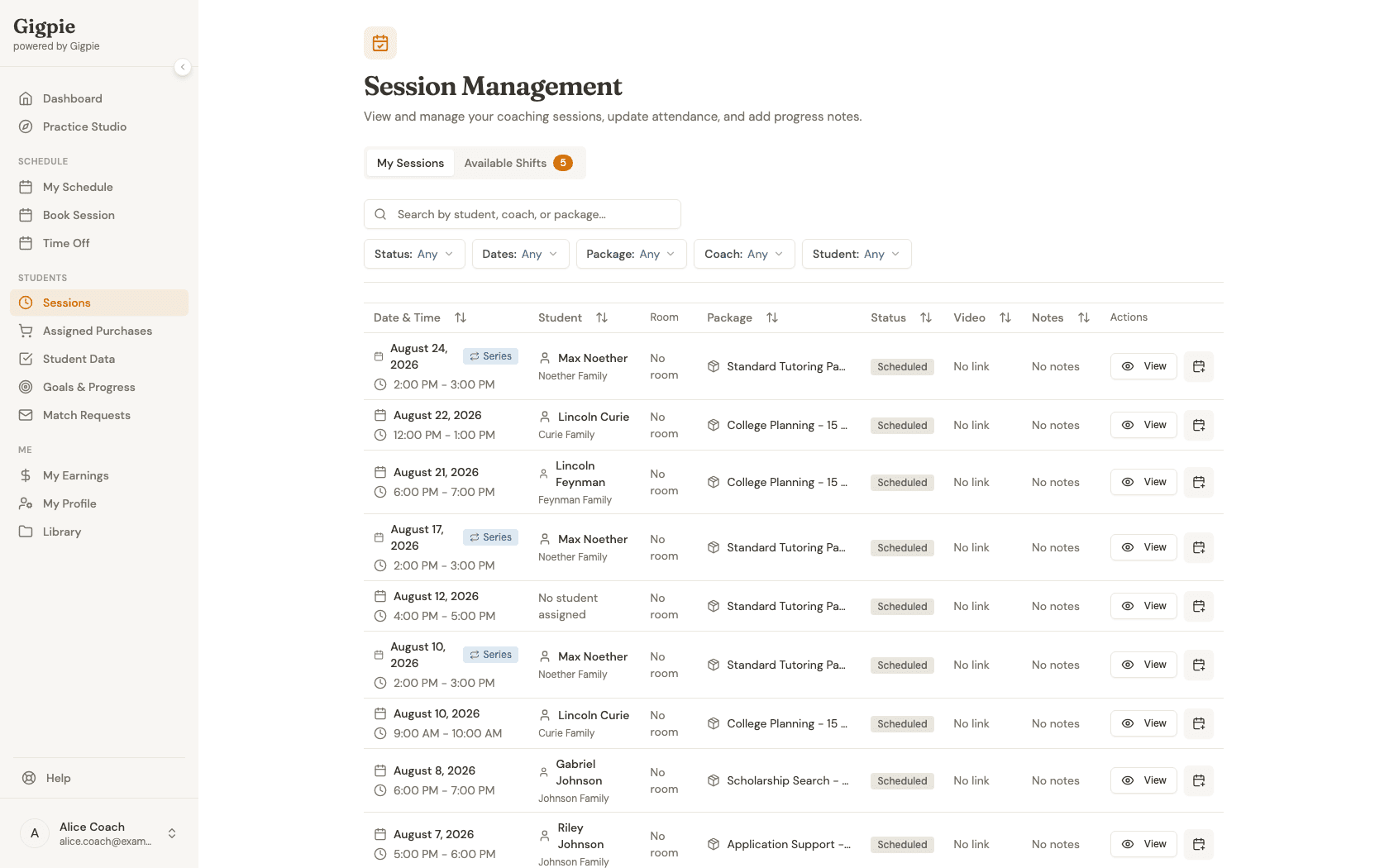
Navigate to the Marketplace
Click on Sessions to view available shifts that need coaches.
- 2
Browse available shifts
Switch to the Available Shifts tab to review open shifts. Each card shows the date, time, and whether it's a one-time session or part of a recurring series.
- 3
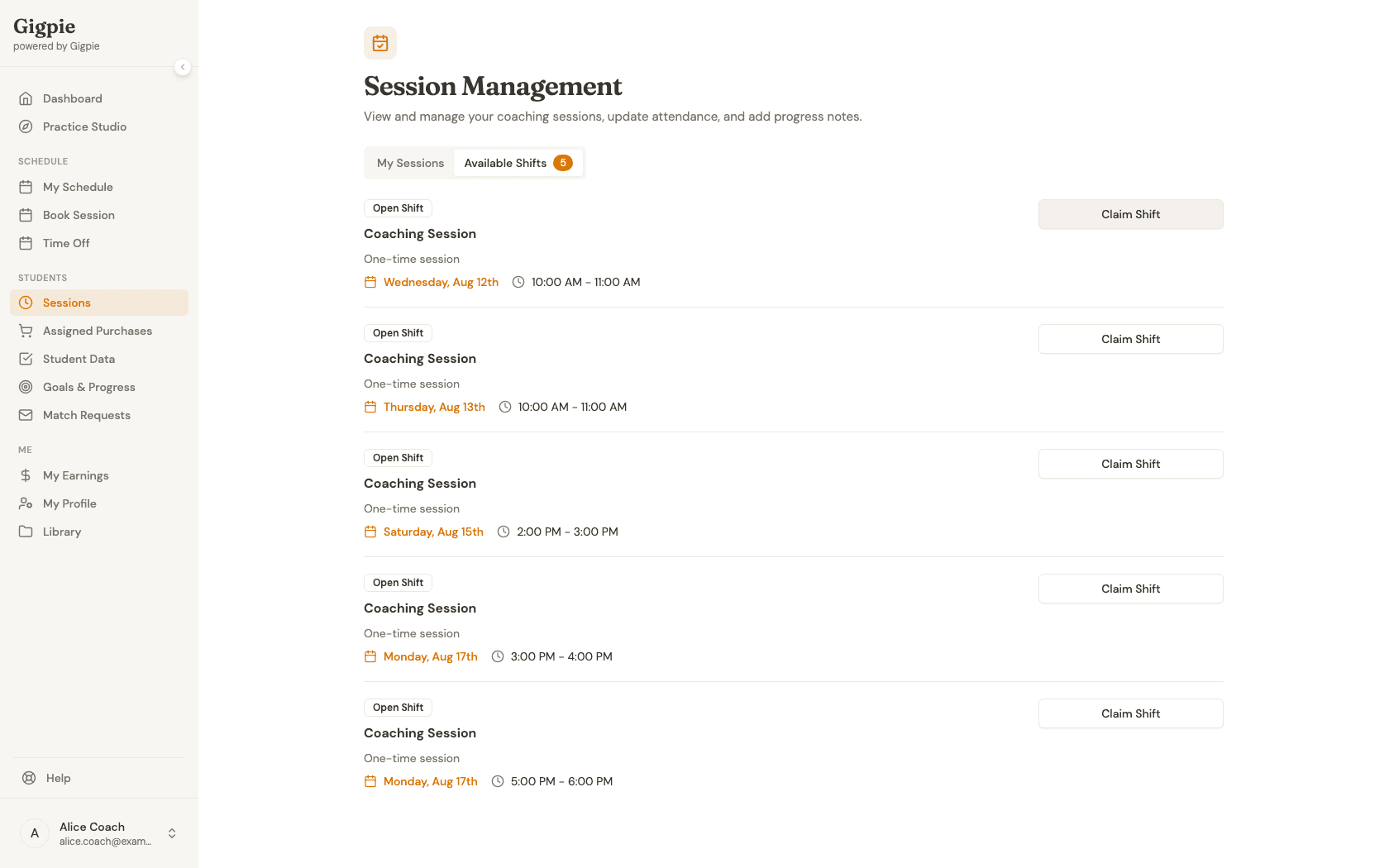
Click Claim Shift
When you find a shift you want, click Claim Shift to claim it immediately.
What Happens After Claiming
Once you claim a shift, it immediately appears in your session schedule and calendar. The family receives a notification that you've been assigned to their session. You'll have access to all session details including student information, subject matter, and any special notes or requirements the parent has added.
Take time to review the student's profile and any previous session notes before the appointment. This preparation helps you deliver a better first session and build rapport with the family. If this is a recurring shift, establishing a strong connection in the first session often leads to continued bookings.
Tips for Success
The most successful coaches on the marketplace respond quickly to new shifts. Popular time slots can be claimed within minutes. Consider checking the marketplace at consistent times throughout the day, especially during peak scheduling hours when parents are most actively booking sessions.
Once a claim goes through, review the session's full details right away and flag anything outside your expertise early. While it might be tempting to claim every available shift, focusing on sessions you can deliver well results in more successful long-term relationships with families.
Build your reputation by delivering excellent sessions and maintaining consistent availability. Families often request specific coaches for future sessions, which means marketplace shifts can turn into regular recurring appointments. Respond professionally to any session notes or parent questions, arrive on time, and provide detailed progress notes after each session.
Understanding Shift Details
A marketplace listing keeps the decision simple: the session type, whether it is a single shift or a recurring series, and the date and time. Those three facts answer the question the marketplace exists to ask, which is whether the slot fits your schedule.
The rest of the picture arrives with the claim. Once you are assigned, the session record shows the student, the package it draws from, and any notes on the session, so review it before the day arrives and reach out early if anything looks like a mismatch.
Related Guides
- How to schedule a session - Book sessions directly with your assigned students
- How to update calendar availability - Manage when you're available for sessions
- How to request time off - Block out dates when you're unavailable
- Smart Scheduling - How Gigpie's scheduling engine works