
How-To Guide - Parents
How to review progress notes from past sessions
Learn how to access and review the progress notes that coaches leave after each tutoring session. Stay informed about your student's learning journey.
Updated August 10, 2026
Overview
Use this guide to view feedback from completed lessons. Instructors document what was covered, advancement made, and recommendations for future meetings.
Before you start
- You have at least one completed session with progress notes.
- The coach has submitted notes for the session you want to review.
Steps
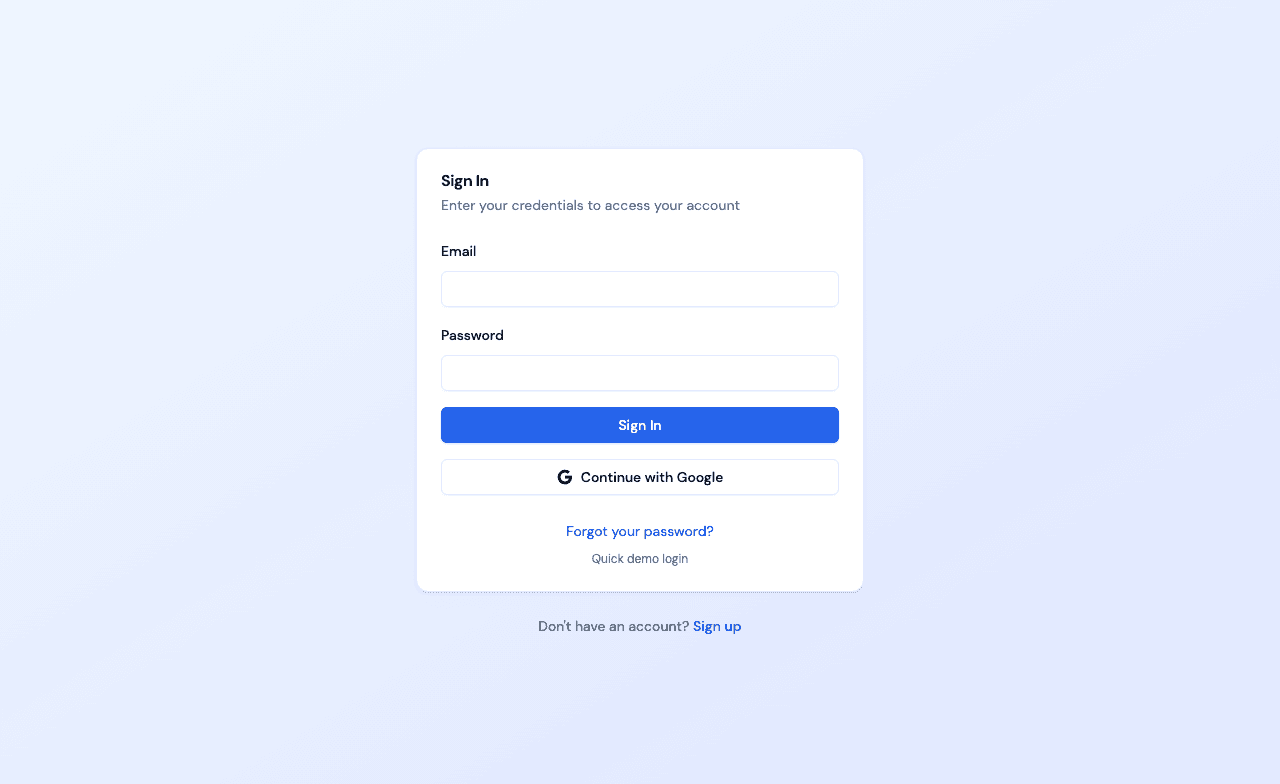
- 1Go to login
Sign in as a parent
Use your parent account credentials to access the dashboard.
- 2
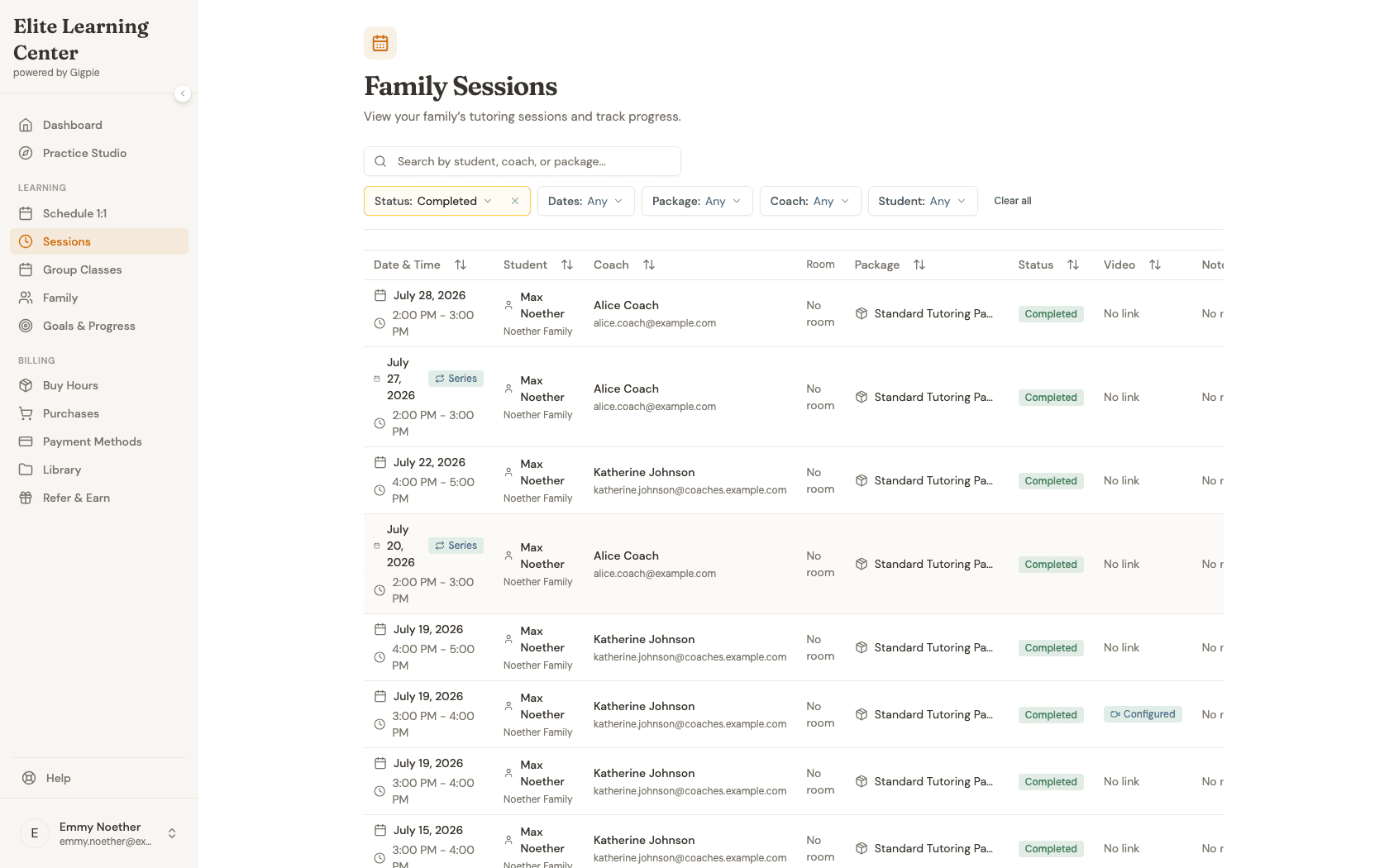
Navigate to Family Sessions
Navigate to the Family Sessions page and filter to Completed sessions to view past sessions.
- 3
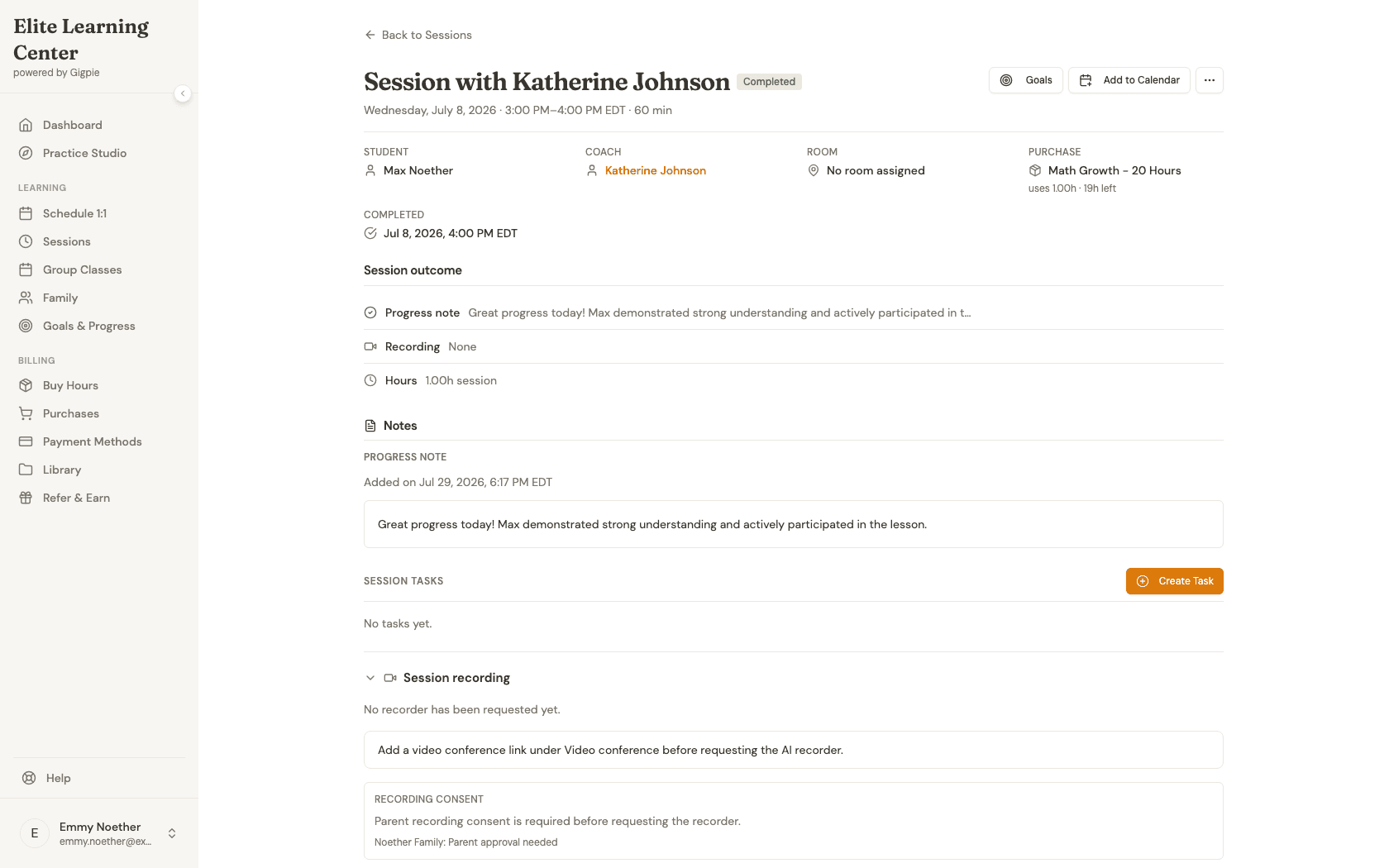
Select a completed session
Click on a completed session to view its details and progress notes.
- 4
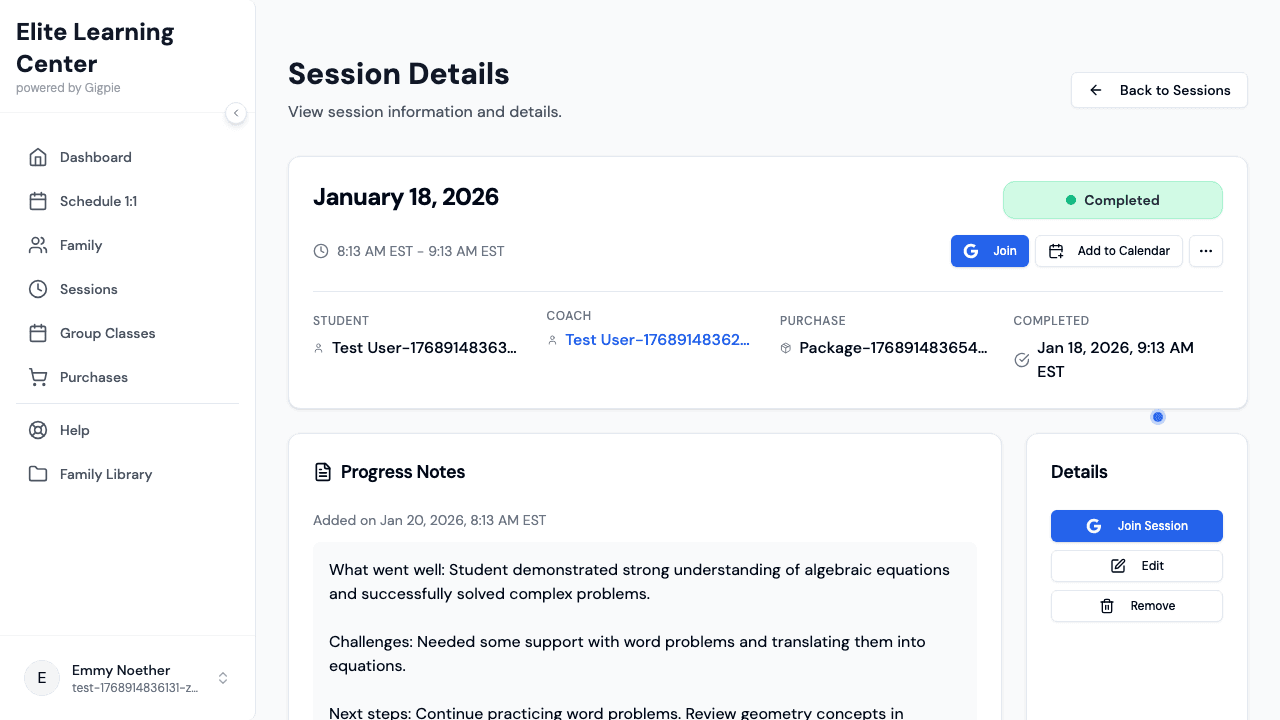
View the feedback
Review the coach's comments in the Notes section — you'll always see the full note here, not a truncated excerpt.
What you'll accomplish
- You can access detailed notes from past tutoring sessions.
- You understand what topics were covered and how your student performed.
- You can track your student's progress over time.
Understanding Progress Notes
Progress notes are detailed summaries that coaches write after completing each tutoring session. These notes typically include what topics were covered during the session, concepts the student mastered, areas where they struggled, homework assigned, and recommendations for future sessions. Well-written progress notes give you insight into your student's learning journey and help you understand what to focus on next.
Coaches usually complete progress notes within 24 hours of the session ending. You'll receive a notification when new notes are available to review. Some coaches write brief notes focusing on key accomplishments, while others provide detailed summaries with specific examples of the student's work. The level of detail often depends on the coach's style and the complexity of the material covered.
Using Notes to Track Progress
Reading progress notes regularly helps you identify patterns in your student's learning. You might notice consistent challenges with certain types of problems, indicating a need to focus on foundational concepts. Alternatively, you might see steady improvement in areas that were previously difficult, showing that the tutoring approach is working well.
Consider keeping your own informal notes about patterns you observe in the progress feedback. This can be helpful when discussing your student's development with teachers, preparing for parent-teacher conferences, or deciding whether to adjust the tutoring schedule or focus areas. You can also share relevant progress notes with your student's school teachers to ensure everyone is coordinating on the same learning goals.
Communicating About Progress Notes
If you have questions about something mentioned in the progress notes, you can typically message the coach through the platform or bring up your questions at the next session. Most coaches appreciate when parents take an active interest in the session feedback, as it shows engagement in the student's learning.
When reviewing notes with your student, focus on celebrating successes and progress made rather than dwelling on challenges. Use the notes as a conversation starter to ask your student about what they learned and how they felt about the session. This reinforces the value of tutoring and helps your student develop metacognitive skills about their own learning process.
What to Expect in Quality Notes
High-quality progress notes should be specific rather than generic. Instead of "We worked on math," good notes specify "We practiced solving two-step linear equations and word problems involving distance, rate, and time." Specific notes help you understand exactly what material was covered and make it easier to support your student's learning at home.
Effective notes also include actionable next steps. The coach might recommend practicing certain types of problems before the next session, suggest supplementary resources, or indicate topics to focus on in upcoming meetings. This forward-looking perspective helps create continuity between sessions and ensures tutoring time is used efficiently.
Related Guides
- How to view student schedule - See all past and upcoming sessions
- How to schedule an appointment - Book follow-up sessions
- How to join a session - Attend upcoming sessions
- Parent Portal - Everything else visible from your account