
Educator Payroll for Tutoring & Coaching Agencies
Configure payroll schedules, pay groups, and educator assignments in Gigpie. Compensation calculated from sessions actually delivered, not manual timesheets.
Paying educators accurately gets harder the moment you have more than a couple of people on staff: different rates per subject, different pay schedules, sessions that got rescheduled or cancelled. Gigpie ties payroll directly to the sessions that actually happened, so compensation doesn't depend on someone reconstructing a timesheet from memory.
The Educator Payroll Problem
Without payroll built into your scheduling system, agencies typically end up:
- Manually cross-referencing a calendar against a spreadsheet to figure out who taught what
- Arguing with educators over disputed hours because there's no single source of truth
- Re-doing payroll math every time a session gets rescheduled or cancelled
- Running different pay schedules for different educators with no clean way to track it
How Gigpie Handles Payroll
Pay Groups and Schedules
Configure payroll schedules and pay groups so educators on different cadences (weekly, biweekly, monthly) or different rate structures are handled correctly without manual sorting.
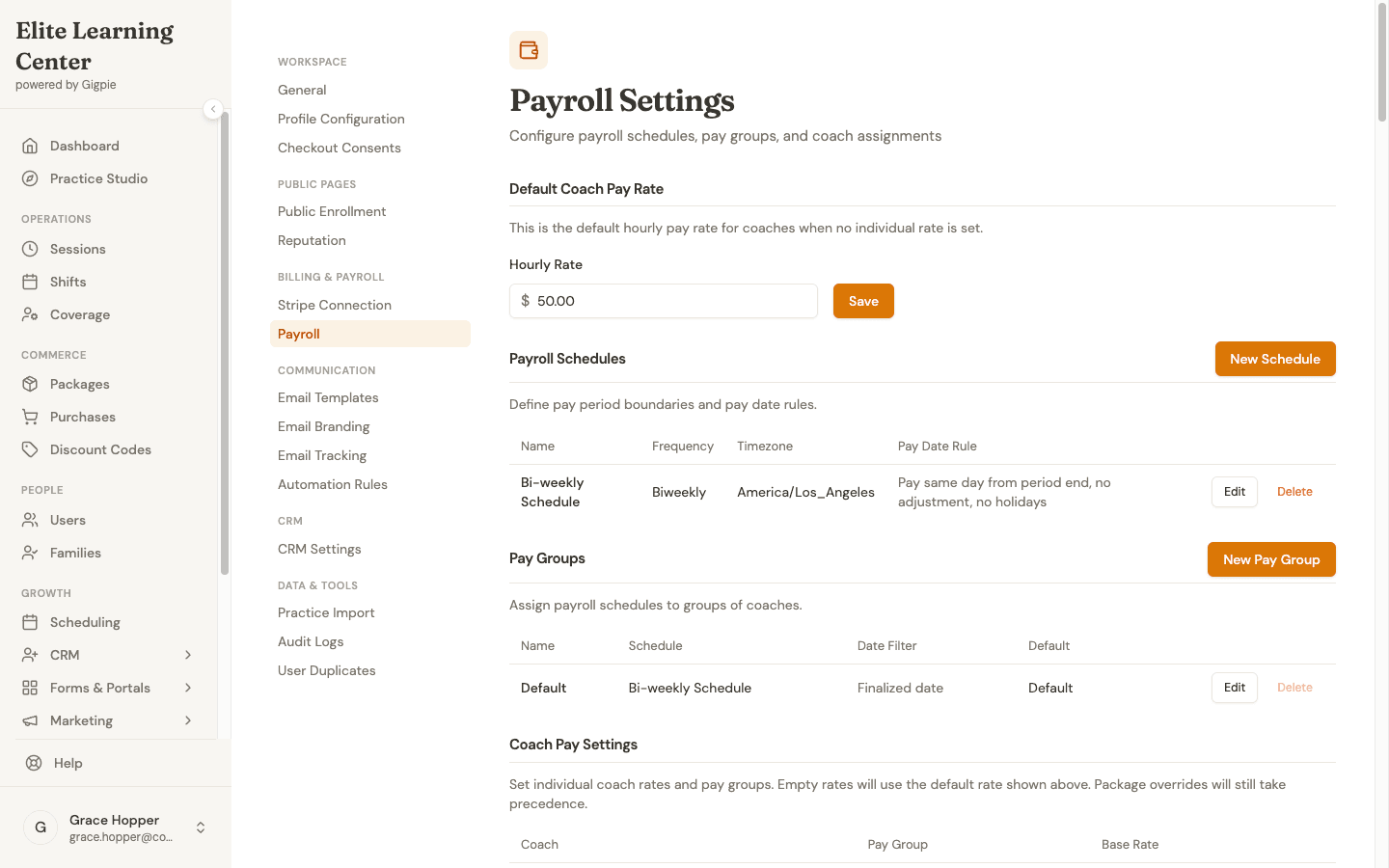
One pay group, a biweekly schedule, and a default hourly rate, all configured in Settings.
Educator Assignments
Payroll settings tie directly to educator assignments from your schedule, so compensation reflects who actually delivered a given session, not just who was originally scheduled.
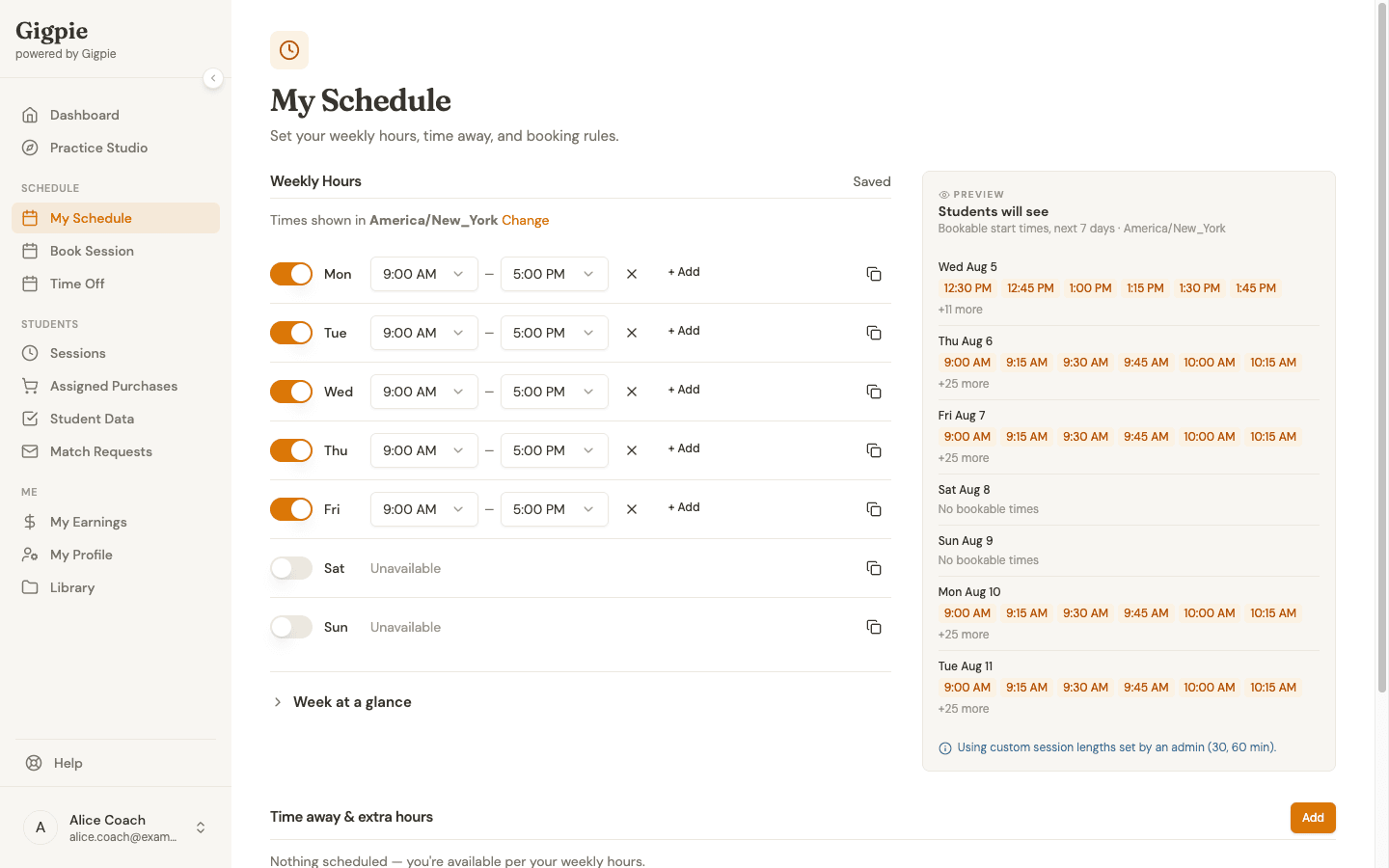
An educator's weekly hours, the same schedule payroll checks to confirm who was on for a session.
Session-Based Compensation
Because Gigpie already tracks session status (completed, cancelled, no-show), payroll calculations start from the same source of truth as your scheduling and billing instead of a separately maintained spreadsheet that can drift out of sync. The same session data also feeds your analytics, so payroll and reporting never disagree.
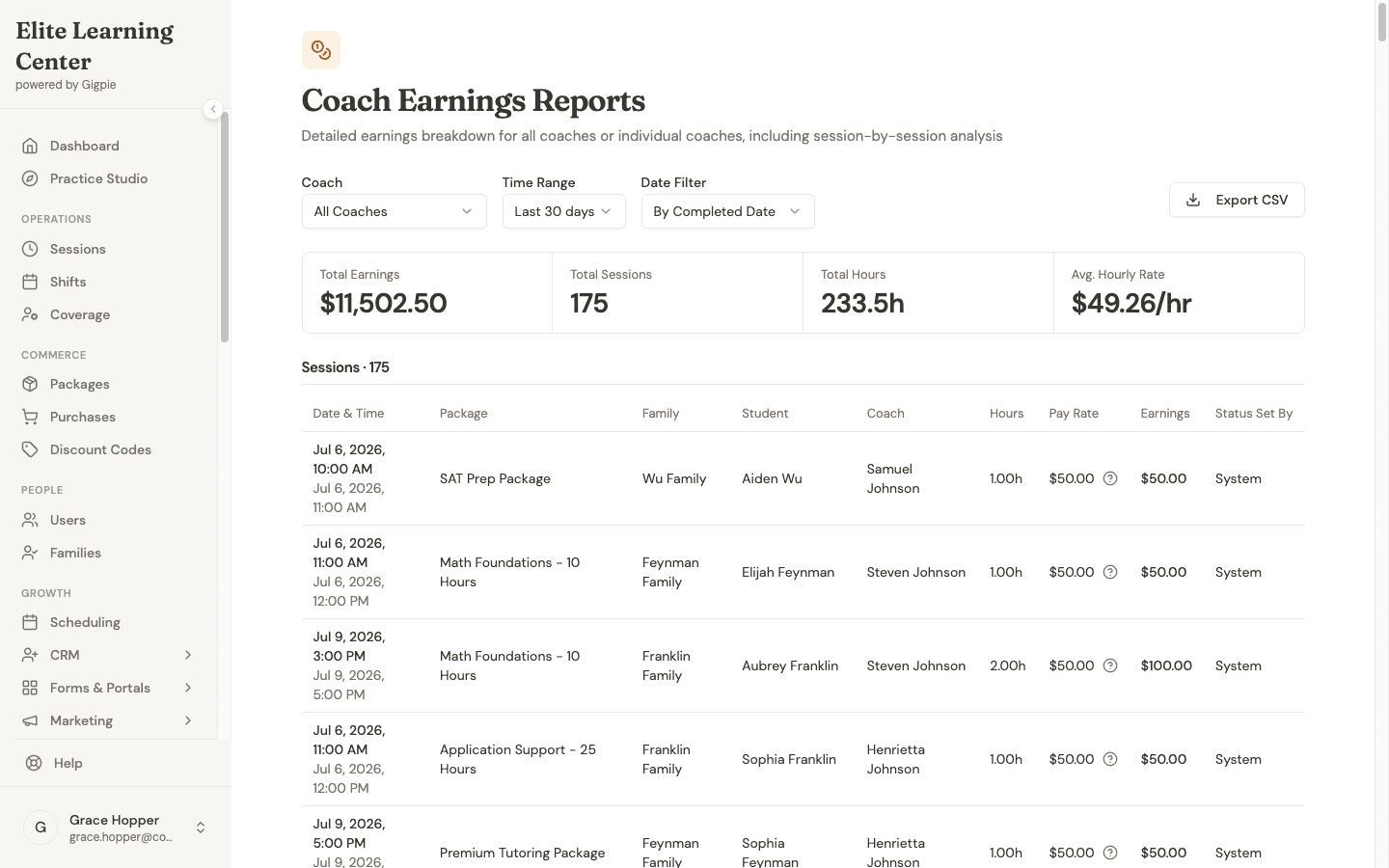
$11,502.50 earned across 175 sessions this month, broken down by coach, family, and rate.
Worked example: Say an educator's pay group is set to $50/hour, and they teach 14 one-hour sessions during a biweekly pay period. Midway through, a parent asks to move one Tuesday session to Thursday: same length, same educator, just a different day. When the period closes, the payroll run still counts all 14 sessions at $50 each, for $700 total, with the moved session listed under its new Thursday date instead of the original slot. Payroll follows the session that actually happened, not the one that was first booked.
Who This Helps
Solo tutors don't need this: they're paying themselves. Small agencies with a handful of educators get the biggest relief, since manual payroll reconciliation is disproportionately time-consuming at small scale. Larger agencies get the same accuracy at scale, without turning payroll into a dedicated administrative role.
Frequently Asked Questions
Does Gigpie pay educators directly, or calculate what I owe them?
Gigpie calculates what you owe each educator from the sessions they actually delivered; it doesn't move money to them directly. When a payroll run is ready, export a payout report as a summary, a session-by-session breakdown, or a Justworks-ready timecard, then hand it to your payroll processor or bank to send the actual payment. Stripe Connect on Gigpie handles how your company collects payments from families, a separate flow from educator pay.
What happens if a session is rescheduled or cancelled?
Payroll calculations follow whatever the session's actual status ends up being, so a reschedule or cancellation shows up correctly in that pay period without a manual correction.
Can different educators have different pay schedules?
Yes. Pay groups let you set different schedules and rate structures for different educators or teams within the same account.
Run payroll from the sessions that actually happened
Free until you collect revenue, then a flat 2% of what you collect. Pay groups, payroll runs, and processor-ready exports are included at every size.
Get started freeRelated Resources
- Business Analytics - See the session data payroll is calculated from
- Billing & Payments - How Stripe Connect collects family payments, kept separate from educator pay
- Coaching Agency Solutions - The full picture of running a multi-educator agency on Gigpie