
AI Phone Agent for Tutoring & Coaching Businesses
Gigpie's AI phone agent answers missed calls, transcribes voicemail, turns unknown-number texts into CRM leads, and gives staff an in-browser dialer.
The call you lose every week comes at 4:10 on a Thursday. You are mid-session, your phone is face down on the desk, and a parent who just searched "SAT tutor near me" is listening to it ring. She doesn't leave a voicemail. By the time you flip the phone over at 5:00, she has booked a consult with the center two results below you.
Most small tutoring companies run the business line off somebody's personal cell, so the phone gets answered exactly when that one person is free. Gigpie treats the phone as a CRM channel: calls get answered even when nobody can pick up, and every call, voicemail, and text ends up written down on a lead's timeline where staff can act on it.
An AI Agent Answers When You Can't
When a call comes in, Gigpie tries a human first: if the caller matches a lead with an assigned owner, that owner's phone rings. If the caller is new, the lead is unowned, or nobody picks up, the AI agent answers. It opens with the exact greeting you wrote, speaks in the voice you chose, and answers questions from the business information you gave it: subjects, rates, hours, in your words. When a caller needs something it can't settle, it takes a message, and the whole conversation lands on the lead's record as a turn-by-turn transcript.
Configuration is four fields: an on switch, the business info, the greeting, and an optional voice. That is the entire panel, on purpose; there is no IVR tree to build and no press-1 menu to maintain. You connect your own phone provider account first (Twilio or Telnyx), and Gigpie syncs in the numbers you already own there. Gigpie never buys a number on your behalf.
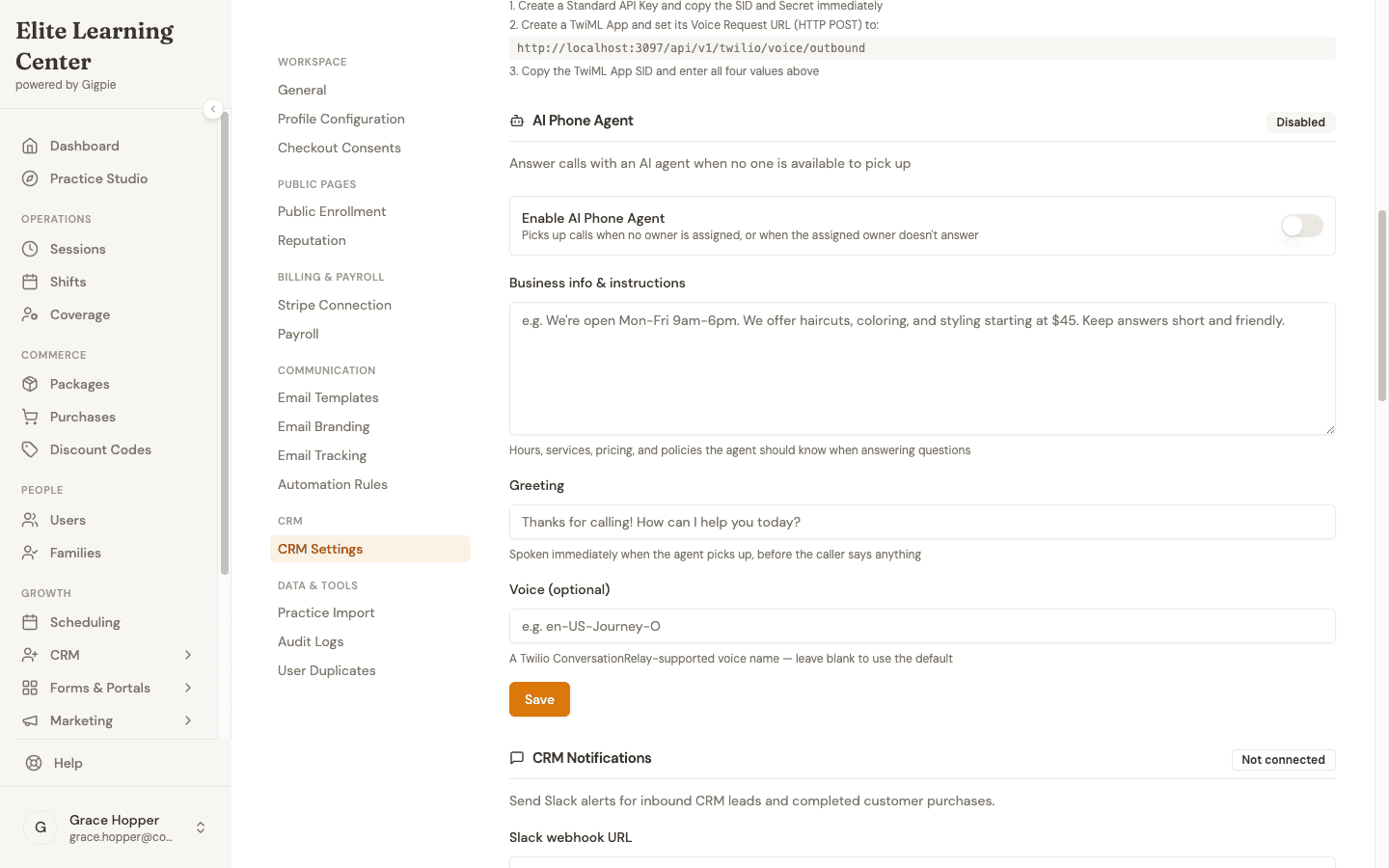
The entire configuration surface: an on switch, what the agent knows, how it greets callers, and the voice it speaks in.
This is not a category norm: Teachworks' communication page, reviewed 2026-08-05, covers automated email and SMS reminders and says nothing about answering calls. The "AI Agent" Teachworks does advertise is a support chatbot for its own users, not your callers.
Every Call Leaves a Written Record
Calls the agent handled are flagged that way on the record, so you know which conversations still owe a human follow-up. With the agent switched off, a missed call still rolls to voicemail, which is transcribed into text on the same record; nobody dials in to listen to messages. Staff calls get transcripts too, from the same pipeline that transcribes Gigpie's session recordings. The CRM inbox then lists a lead's email threads, texts, and call history together, so the story of a lead reads top to bottom in one place.
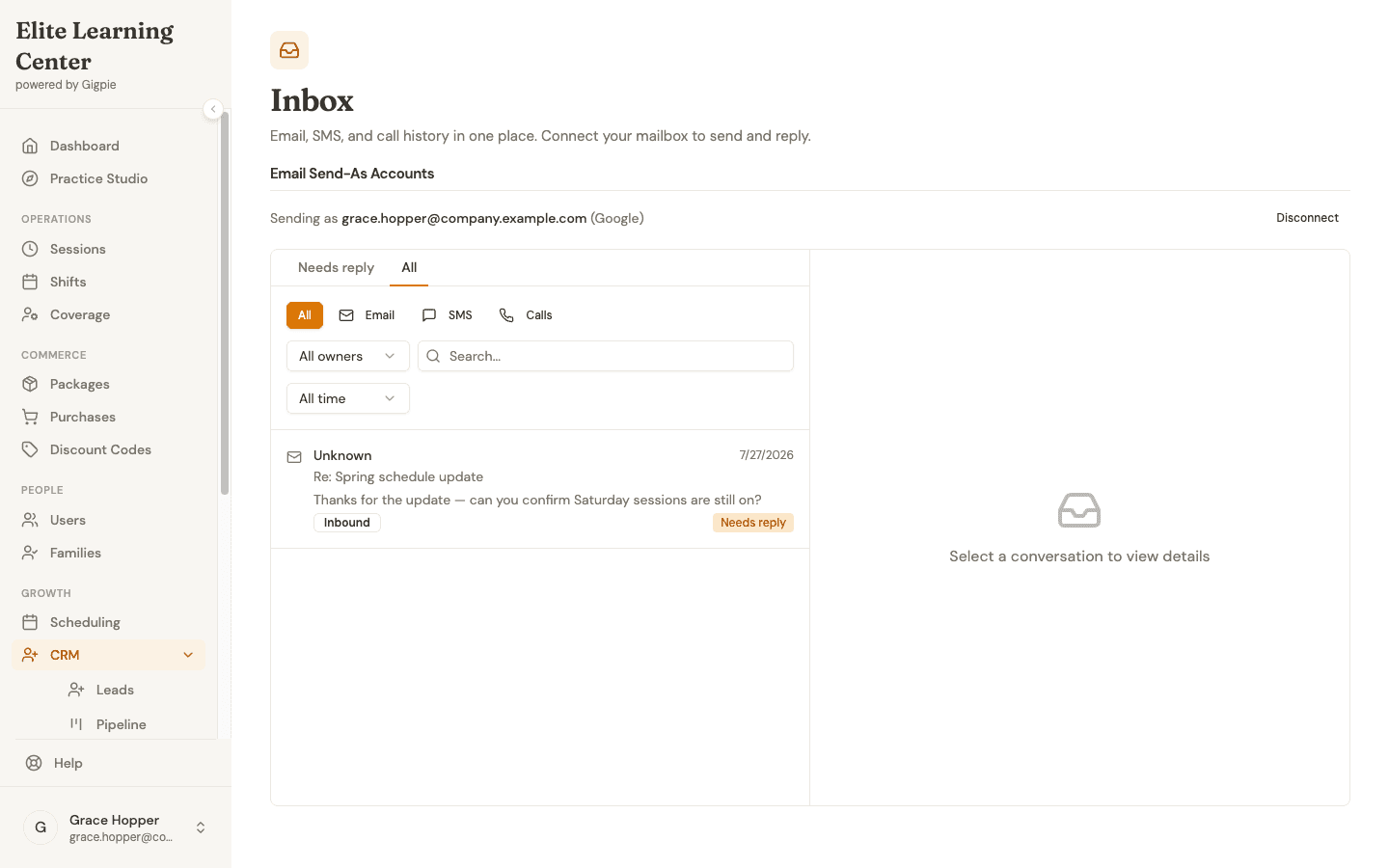
Email, SMS, and call history in one inbox, so nobody reconstructs a conversation from three apps.
A Text From an Unknown Number Becomes a Lead
Parents text first now. When an SMS arrives from a number Gigpie doesn't recognize, it creates a lead automatically, with the message as the first entry on the timeline, so no inquiry dies in a staff member's personal messages. Replies go out from the lead's record, the thread stays attached to the person it belongs to, and the lead behaves like any other in the CRM: staged on the pipeline, assigned an owner, enrolled in follow-up.
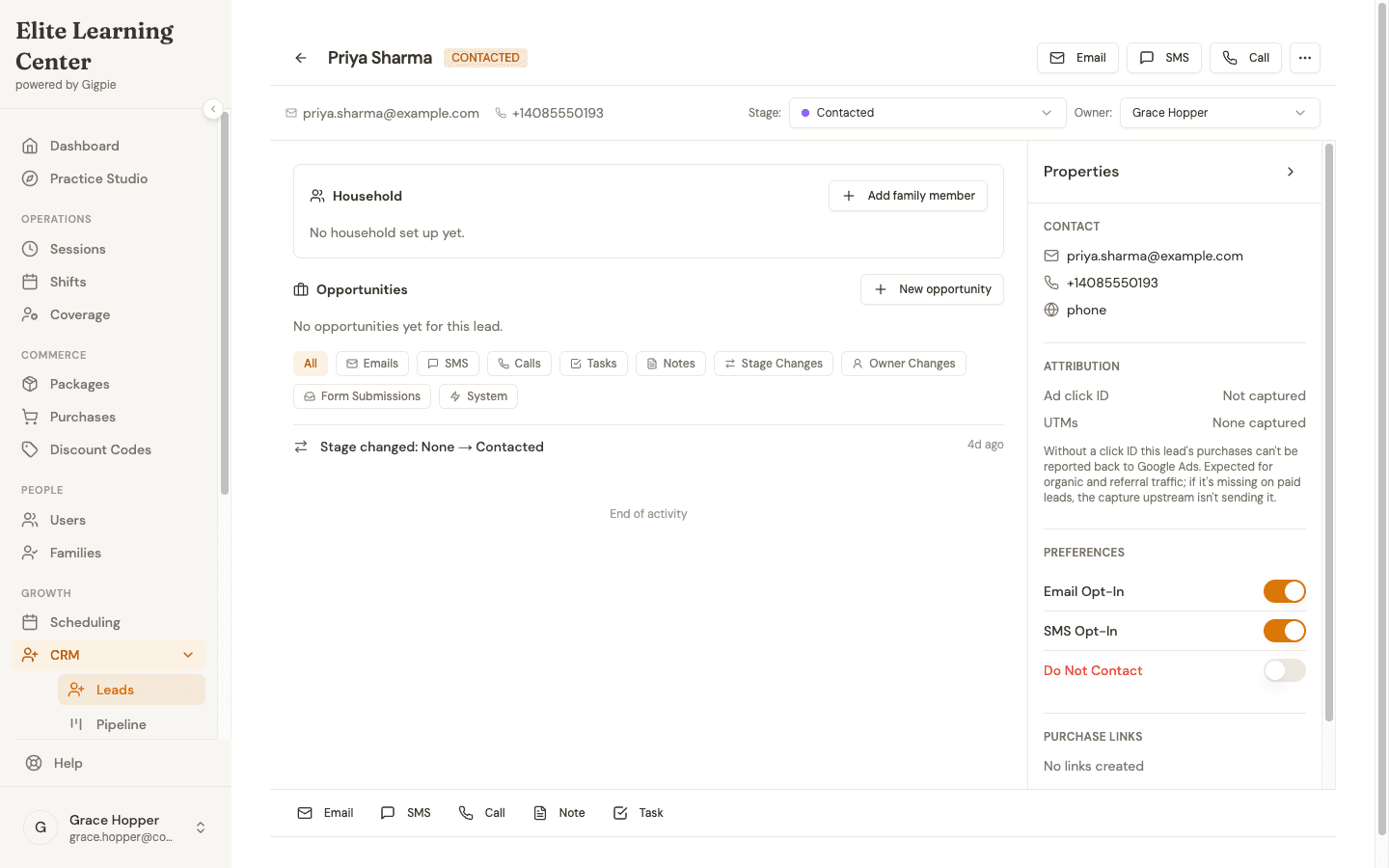
Email, text, and call sit on one compose bar at the bottom of the lead's record, next to the timeline they write to.
Staff Call Back From the Browser
The callback happens on the lead's page too. Gigpie includes a real softphone, built on your connected provider's voice SDK, that runs in the browser: a staff member clicks Call on the lead record, and the outbound caller ID is your company's number, not anyone's personal cell. Mute, keypad, and hangup work the way a phone should. The dialer is a front-office tool for staff and admin accounts, so nobody has to hand a parent their personal number to do their job.
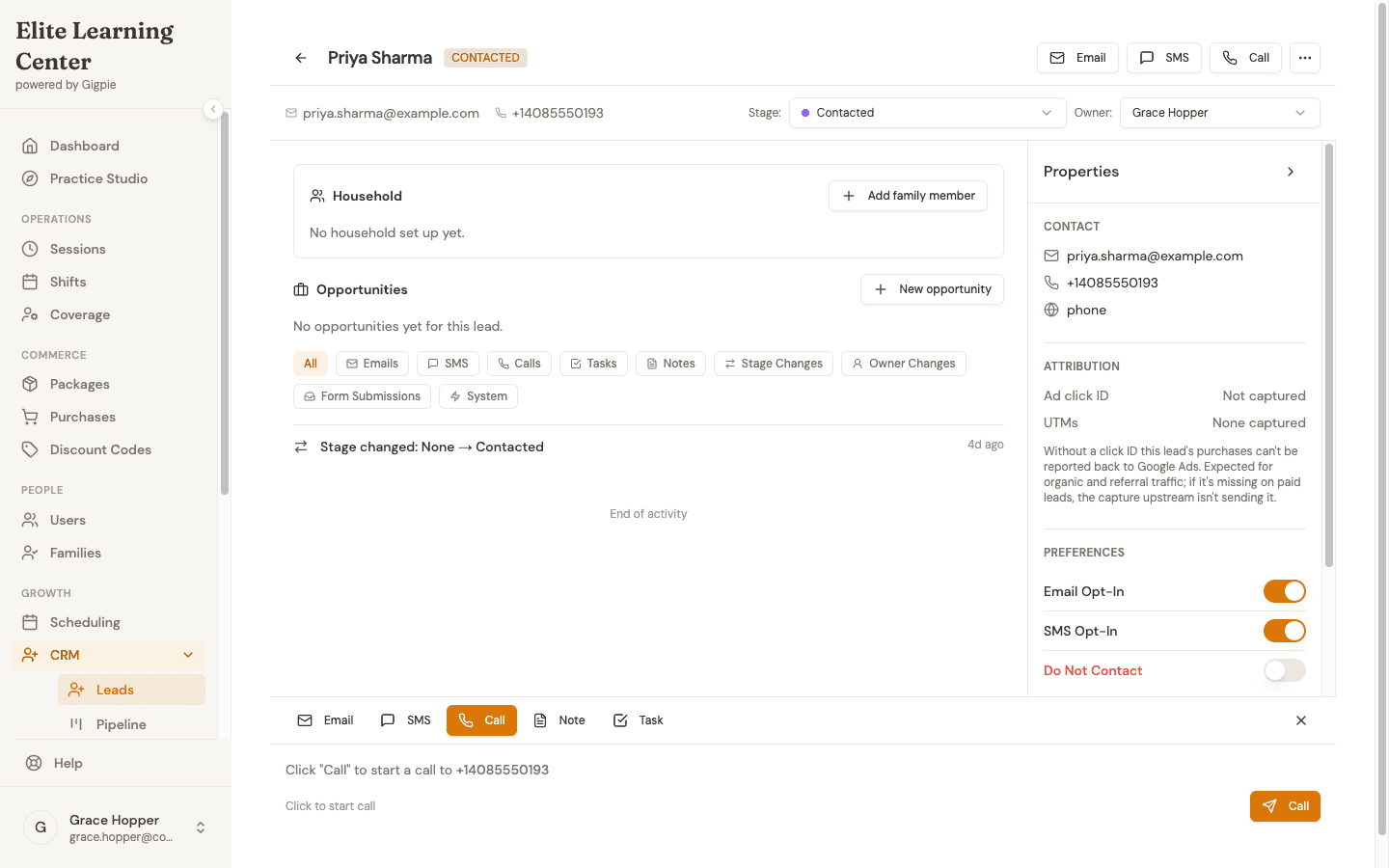
The number is on screen before you dial; one click starts the call from the lead's own page.
Worked example: Say the agent answers 22 calls in March, staff place 60 more from the browser, and families pay you $12,000 that month. Gigpie's fee is 2% of the $12,000 collected: $240. Call and text volume never enters that math; Gigpie has no per-seat, per-minute, or per-message fee. Your provider bills your own account for phone usage at its rates, since the number and the account are yours.
Who This Is For
A solo tutor who answers their own phone and likes it doesn't need any of this; call forwarding to your cell is free and works. The fit starts when the phone competes with teaching: an owner-operator whose sessions swallow the exact afternoons the phone rings most, or a center where "front desk" means whoever isn't mid-lesson. One real prerequisite: the calling stack runs on your own connected provider account, so you need one, with a number in it, before any of this switches on.
How-To Guides
Step-by-step guides for setting up the agent and working the leads it creates:
- Set up the AI phone agent - Turn it on, write a greeting, and pick a voice
- Work leads in the CRM pipeline - Where a caller's transcript or a texter's thread becomes a lead you can work
Frequently Asked Questions
Do I need a new phone number?
No, and Gigpie will never buy one for you. You connect your own phone provider account, and Gigpie syncs in whatever numbers already live there. If your business number is already with that provider, you keep it as is. If you're starting from scratch, you create the provider account and get your number there first, then connect it to Gigpie.
What happens when the AI agent can't help a caller?
It takes a message. The agent answers from the business information you wrote, and when a caller asks for something beyond that, it captures what they need and the full turn-by-turn transcript lands on the lead's timeline for a person to handle. There is no live-transfer rule to configure. The routing that does exist is fixed and happens before the agent picks up: a call tries the lead's assigned owner's phone first, and the agent only answers if the caller is new, unowned, or unanswered.
Can the agent make outbound calls?
No. The agent answers inbound calls only. Outbound calling is human: staff place calls from the in-browser dialer on the lead's record.
Can I set business hours or build a press-1 menu?
There is no menu builder and no structured hours setting. Configuration is four fields, and the business info field is free text, so you can tell the agent your hours and it will relay them to callers, but the agent answers whenever it's enabled.
Does Gigpie text parents session reminders?
Yes. Session reminders go out by text and email, by default 28 hours and 1 hour before each session, and the texts send from the same connected number this page is about. The prerequisite is the same one: a number synced in from your connected provider account, with email covering reminders until then. Lead and CRM texting stays its own pipeline: inbound texts that create leads, replies from the lead record, and the inbox.
Who can use the in-browser dialer?
Staff and admin accounts, from a lead's record. Coach, parent, and student accounts don't have a dialer, so the calling surface stays with the people doing front-office work.
What does a call leave behind in the CRM?
A timeline entry on the lead: who called, how long it lasted, and the transcript. Agent-handled calls are marked as such and transcribed turn by turn as the conversation happens, and voicemails are transcribed into text on the same record.
Stop losing the Thursday-afternoon phone call
Connect your phone provider account, fill in four fields, and every missed call starts leaving a transcript instead of a mystery. Free until you collect revenue, then a flat 2% of collections.
Get started freeRelated Resources
- CRM & Marketing Automation - Where the leads your phone creates get staged, owned, and followed up
- Tutoring Center Solutions - Running a multi-coach center where nobody sits at a front desk all day
- Billing & Payments - How the 2%-of-collections model in the worked example above actually bills